
Why Facebook Ad Campaign Analysis Determines Whether You Profit or Lose
Facebook ad campaign analysis is the process of reviewing your ad performance data to understand what’s working, what’s wasting money, and what to do next.
Here’s a quick breakdown of the core steps:
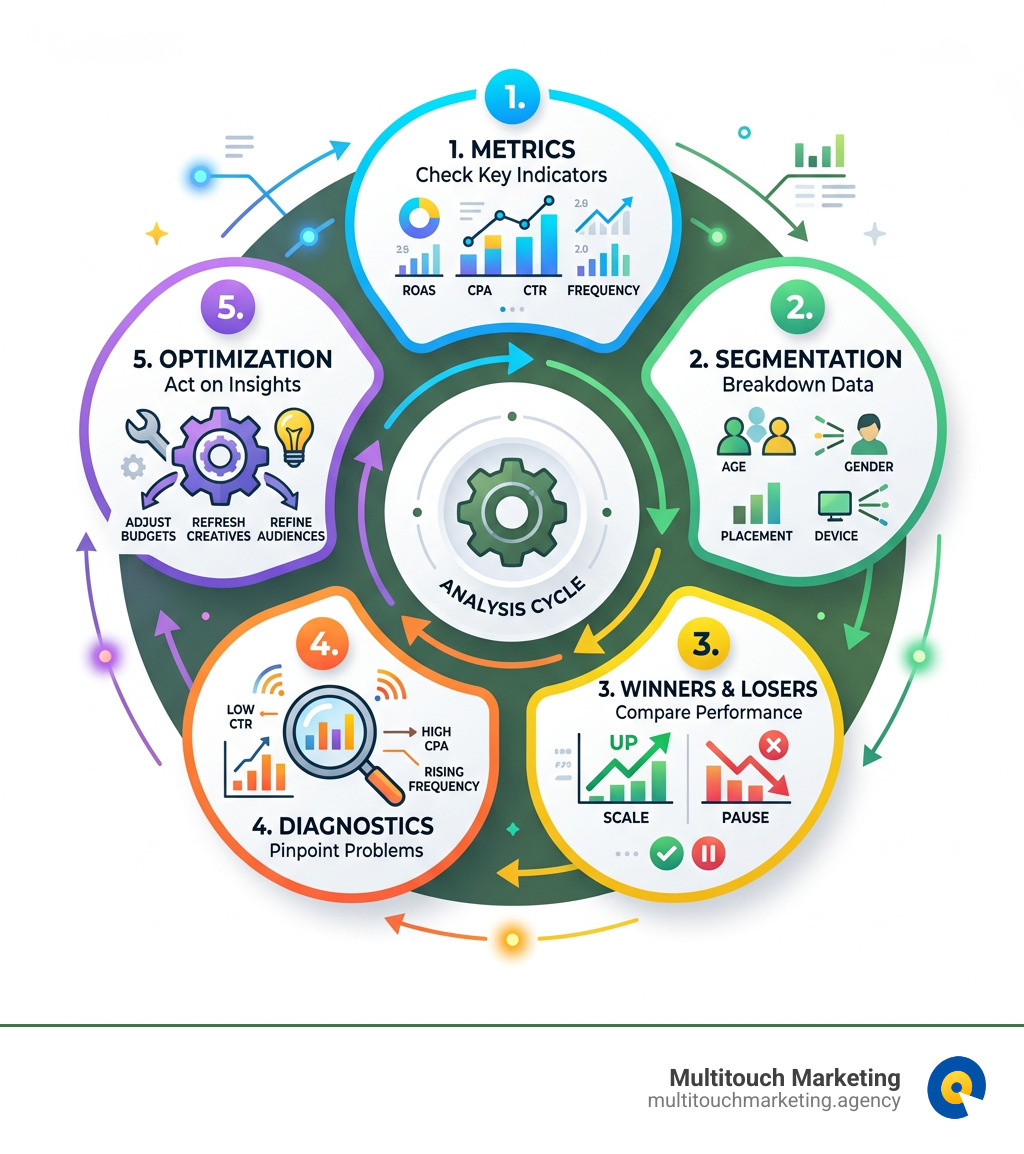
- Check your key metrics — ROAS, CPA, CTR, and Frequency
- Segment your data — break results down by age, gender, placement, and device
- Identify winners and losers — pause underperformers, scale what works
- Diagnose problems — low CTR, high CPA, or rising frequency signal specific issues
- Act on insights — adjust budgets, refresh creatives, or refine your audience
With Meta platforms reaching 3.4 billion daily active users, competition for ad space is intense. Costs are rising — CPC for lead campaigns jumped roughly 20% to $27.66 in 2026. Every dollar you spend needs to be accountable.
The problem most small business owners face isn’t a lack of data. It’s knowing which data matters — and what to do with it.
Launching an ad is easy. Understanding why it performed well (or didn’t) is where real growth happens. Without a structured analysis process, you’re essentially guessing with your budget.
I’m Milton Brown, a paid media strategist with experience since 2008 managing budgets from $20,000 to $5 million across e-commerce, healthcare, and higher education — with Facebook ad campaign analysis at the core of every optimization decision. In this guide, I’ll walk you through exactly how to read your results and turn data into action.
Handy Facebook ad campaign analysis terms:
The Core Metrics for Success
When we open Ads Manager, it’s easy to get blinded by the sheer volume of numbers. But if we want to perform a meaningful Facebook ad campaign analysis, we have to separate the “vanity metrics” from the “sanity metrics.”
Vanity metrics, like likes or basic impressions, might make us feel good, but they don’t pay the bills. Sanity metrics tell us if our business is actually growing. To get a full picture, we look at both performance and engagement.
| Metric Type | Key Indicators | Why It Matters |
|---|---|---|
| Performance | ROAS, CPA, Conversions | Direct impact on your bank account and growth. |
| Engagement | CTR, Frequency, Clicks | Shows how well the “creative” resonates with the audience. |
| Awareness | Reach, Impressions | Measures the total size of the audience seeing your message. |
Effective social-media-conversion-tracking is the only way to ensure these numbers are accurate. Without it, you’re flying blind.
Understanding Financial ROI
At the end of the day, we are looking for a positive return. The most critical financial data points in your Facebook ad campaign analysis are:
- Amount Spent: The total investment during a specific window.
- Purchase Value: The total revenue attributed to your ads.
- ROAS (Return on Ad Spend): Calculated as Revenue / Cost. An optimum ROAS benchmark is often cited as 2:1 ($2 earned for every $1 spent), though many high-growth brands aim for 3:1 or higher.
- Conversion Rate: The percentage of people who clicked and then took the desired action. A healthy benchmark for many industries is between 2-3%.
According to Meta Ads Benchmarks 2025, while overall CPC has stabilized between $0.68 – $1.38, certain industries like food and beverage see massive spikes during peak seasons. Knowing these benchmarks helps us determine if our costs are “normal” or if something is broken.
Identifying Ad Fatigue
Even the best ad in the world will eventually stop working. This is called ad fatigue. We track this primarily through Frequency—the average number of times a single person has seen your ad.
If your frequency climbs above 3.0 or 4.0 in a short period, and your ROAS starts to dip, your audience is likely bored. They’ve seen the ad, and they’ve decided not to click. At this point, you need to implement some tips for successful paid social media campaigns, such as refreshing your creative or expanding your audience to prevent saturation.
Setting Up Your Analytics Foundation
You cannot analyze what you do not track. Before you spend a single dollar in Raleigh or Durham, you must have your technical foundation in place.
- Meta Pixel: This is a piece of code on your website that tracks visitor behavior.
- Conversions API (CAPI): Since the iOS 14 update, browser-based tracking (the Pixel) has become less reliable. CAPI sends data directly from your server to Meta, bypassing browser limitations and improving data accuracy.
- Events Manager: This is the “command center” where you manage your tracking. It tells you if your events (like “Add to Cart” or “Lead”) are firing correctly.
For a deep dive into the technical setup, check out our Facebook pixel implementation guide.
Custom Conversions and Standard Events
Standard events are the basics: ViewContent, Search, AddToCart, Purchase. However, many businesses in North Carolina need more specific data. Custom Conversions allow us to track unique actions, like a user reaching a specific “Thank You” page after a high-value lead form submission. This level of detail is vital for analyzing different social-media-ad-formats to see which ones drive the most valuable actions.
Navigating the Meta Business Suite
While Ads Manager is where the heavy lifting happens, the Meta Business Suite provides a broader “Account Overview.” Here, you can find the Insights Tab, which offers a simplified look at audience demographics. It’s a great place for a quick “health check” to see if your reach is trending up or down across your entire Meta presence.
Mastering Facebook Ad Campaign Analysis Step-by-Step
Once your ads have been running for at least 7 days (to get out of the “Learning Phase”), it’s time to dig into the data.
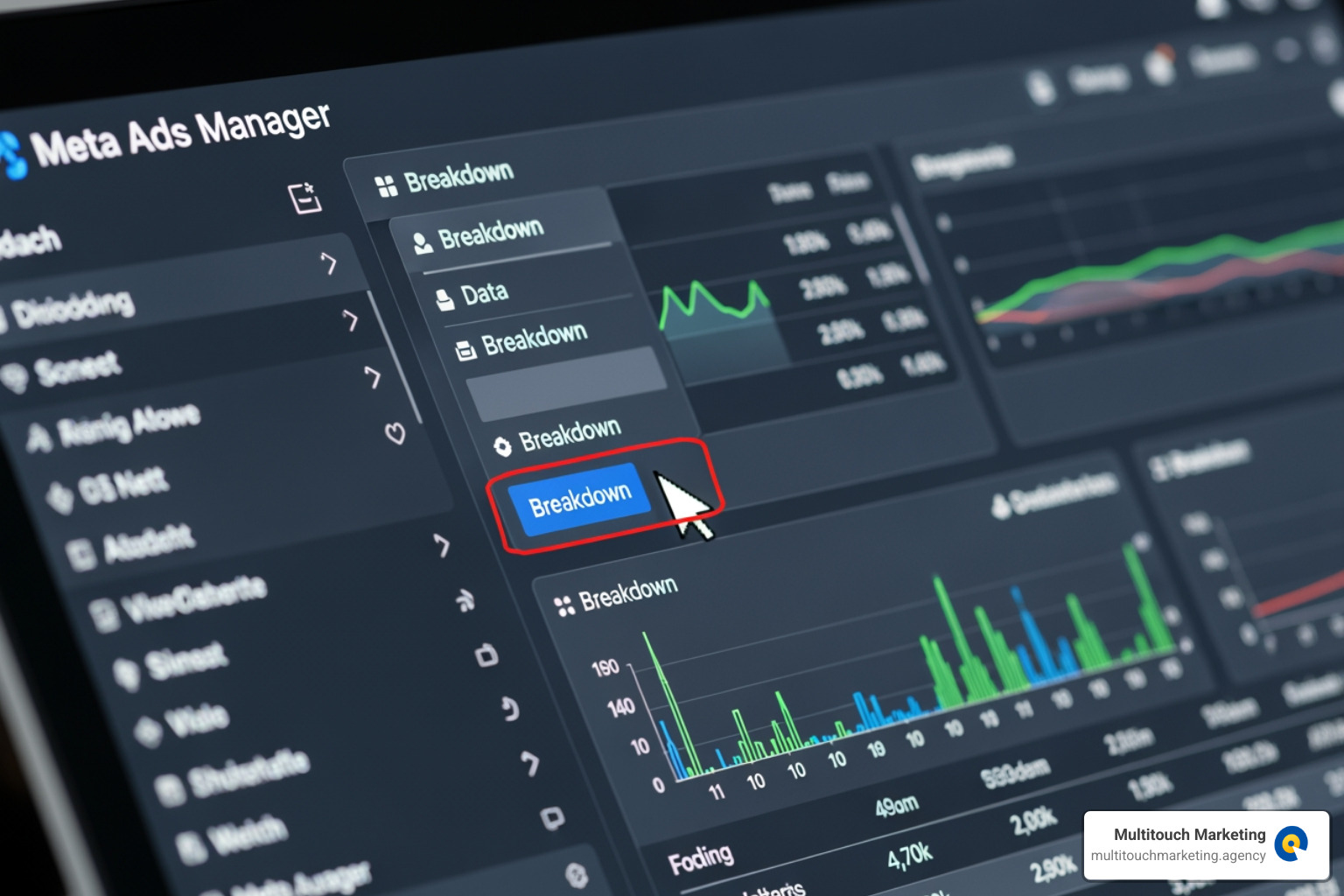
The secret weapon of pro-level Facebook ad campaign analysis is the Breakdown button. This allows you to slice your data to see exactly where the profit is coming from. If you just look at the campaign total, you might miss the fact that your ads are crushing it with women aged 35-44 but losing money on every other segment.
To make this easier, use Ads Reporting to create custom columns. We recommend setting up a view that includes:
- Delivery (Status, Results, Reach, Frequency)
- Engagement (CTR, CPC)
- Conversions (Purchases, Cost per Purchase, ROAS)
Using Breakdowns for Deeper Insights
We often find that “hidden gems” are buried in the breakdowns. By looking at Geography, we can see if our ads are performing better in Raleigh versus Chapel Hill. If you are running local campaigns, geofence advertising on social media data can show you if specific zip codes are driving higher intent.
Don’t forget to check Placements. Sometimes, Instagram Stories might have a higher CPA than the Facebook News Feed, but a much higher average order value. You won’t know unless you break it down.
Identifying Winning vs. Losing Ads
The goal of analysis is to make your budget work harder. We look for statistical significance—don’t kill an ad just because it had one bad day. Look at the last 7 to 14 days of data.
- The Winners: High ROAS, stable CPA, and strong CTR (usually 1% or higher). These are the ads where we might increase the budget by 10-20% every few days.
- The Losers: High CPA, low CTR, or high frequency with no conversions. These get paused.
When you identify a winner, analyze the social-media-ad-creative to see why it worked. Was it the headline? The video style? The offer? Use those insights for your next batch of tests.
Advanced Techniques and Post-iOS 14 Challenges
The elephant in the room for any Facebook ad campaign analysis is Apple’s iOS 14 privacy update. Research shows that less than 25% of iPhone users (who make up about 46% of Facebook traffic) opted into tracking.
This created “data silos” and made attribution much harder. Meta responded with Aggregated Event Measurement, which helps, but it’s no longer a 1:1 tracking world. This is why we must look at advanced social media analytics that combine platform data with your own internal CRM or sales data.
Advanced Facebook Ad Campaign Analysis Techniques
To truly scale, we use techniques that go beyond the basic dashboard:
- Funnel Analysis: Are people dropping off at the “Add to Cart” stage? If so, the problem isn’t your ad—it’s your website.
- Multi-touch Attribution: Understanding that a user might see an ad on Monday, click a Google search on Wednesday, and finally buy on Friday.
- Incrementality Testing: Running “lift studies” to see if the ads actually caused new sales that wouldn’t have happened otherwise.
- A/B Testing: Comparing two variables (like two different headlines) to see which performs better. Avoid common a-b-testing-on-fb-mistakes, such as testing too many things at once or not waiting for enough data.
Benchmarking Your Facebook Ad Campaign Analysis
How do you know if your results are actually “good”? You compare them to industry averages, but take them with a grain of salt.
- Average CTR: 1% is a standard healthy benchmark.
- Average CPC: Typically ranges between $0.50 – $2.00, though lead generation can be much higher.
- Lead Gen CPC: As noted, these have increased significantly, hitting an average of $27.66 in some high-competition sectors by 2026.
If your CTR is 0.5%, your creative likely needs work. If your CTR is 2% but your conversion rate is 0.5%, your landing page is likely the culprit.
Frequently Asked Questions about Facebook Ad Analysis
What is a good ROAS for Facebook Ads?
While a 2:1 ROAS is a common starting point, a “good” ROAS depends entirely on your profit margins. If you sell high-margin software, a 2:1 might be incredibly profitable. If you sell low-margin physical goods, you might need a 4:1 ROAS just to break even. Always calculate your “Break-even ROAS” before starting your Facebook ad campaign analysis.
How has iOS 14 affected Facebook ad reporting?
It has led to under-reporting of conversions and a shorter attribution window (the time between seeing an ad and buying). Many conversions that happen more than 7 days after a click are no longer tracked by Meta. This makes it look like ads are performing worse than they actually are, requiring us to look at “Total Marketing Return” across all channels.
How often should I analyze my campaign performance?
We recommend a “Daily Health Check” (5 minutes) to ensure nothing has broken, a “Weekly Optimization” (30-60 minutes) to pause losers and adjust budgets, and a “Monthly Deep Dive” to look at long-term trends and creative performance.
Conclusion
At Multitouch Marketing, we believe that Facebook ad campaign analysis is the heartbeat of any successful digital strategy. It’s not just about spending money; it’s about buying data that tells you how to grow your business. By setting a solid foundation with the Meta Pixel and CAPI, focusing on sanity metrics like ROAS and CPA, and using breakdowns to find your most profitable audiences, you can turn Facebook into a predictable growth engine.
Whether you are in Raleigh, Durham, or Chapel Hill, the principles of data-driven marketing remain the same: test, analyze, and optimize.
Ready to take the guesswork out of your advertising? Explore our professional PPC services and let us help you navigate the complexities of Meta Ads to drive real business results.