

Why SSL Certificate Management is Essential for Your Website’s Security
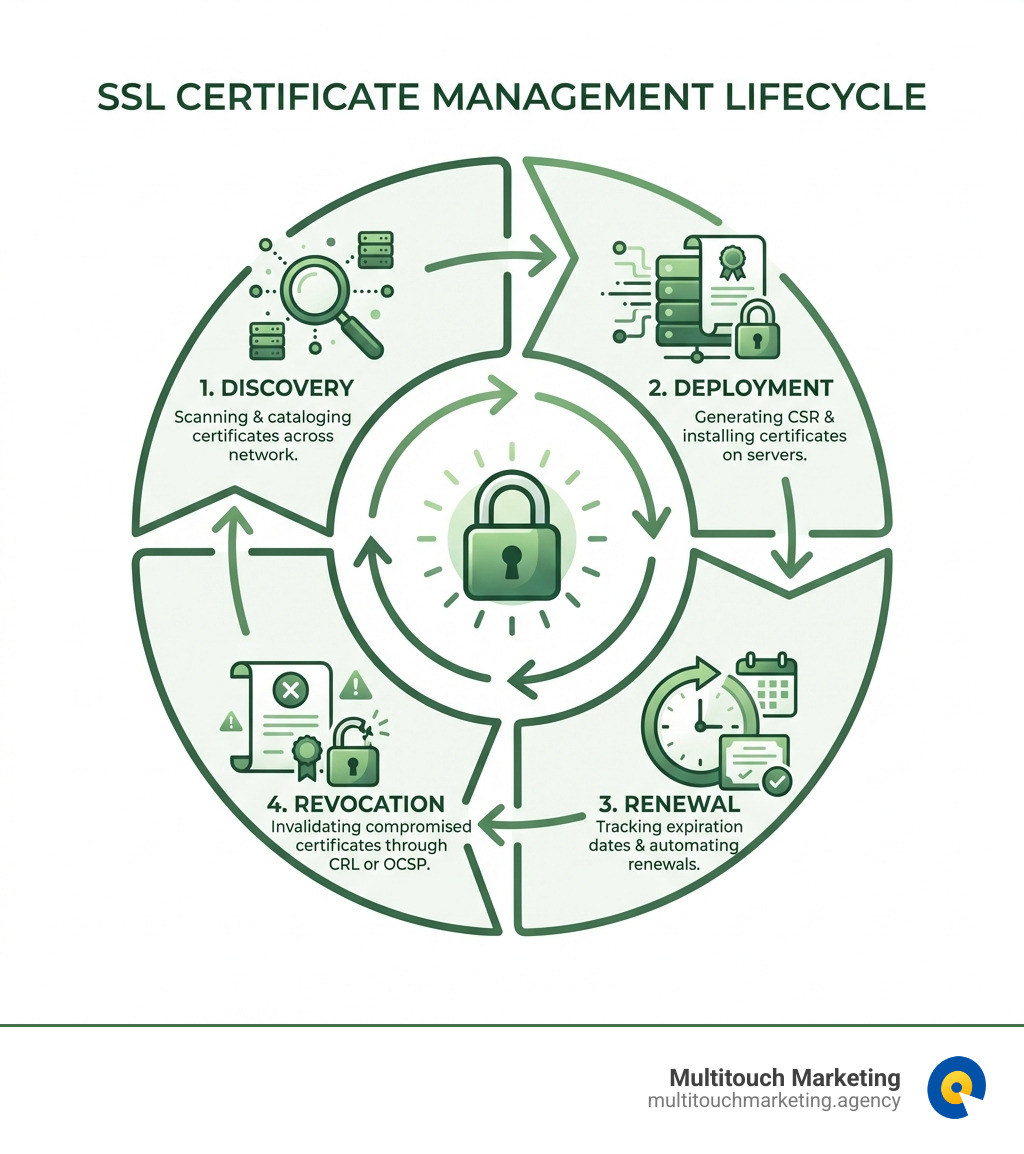
SSL certificate management is the process of tracking, deploying, renewing, and revoking the digital certificates that encrypt data between your website and your visitors. Here’s what you need to know:
- Findy: Identify and catalog all SSL certificates across your network to maintain visibility and prevent security gaps
- Deployment: Generate certificate signing requests (CSRs) and properly install certificates on your web servers
- Renewal: Monitor expiration dates and renew certificates before they expire to avoid website outages
- Revocation: Invalidate compromised or outdated certificates through CRLs or OCSP protocols
If you’ve ever seen a browser warning about an “insecure connection,” you’ve witnessed what happens when SSL certificate management goes wrong. These certificates are the foundation of website security—they encrypt sensitive data like passwords and credit card numbers, verify your website’s identity, and signal trustworthiness to both visitors and search engines.
The stakes are high. According to industry data, Let’s Encrypt now provides free TLS certificates to more than 700 million websites. Yet many businesses still struggle with expired certificates that cause unexpected outages, security vulnerabilities, and lost customer trust. Certificate lifetimes are also decreasing—down to 45 days in some cases—making manual tracking nearly impossible.
The good news? Modern SSL certificate management combines centralized inventory systems, strong encryption policies, and automated renewal processes through protocols like ACME (Automatic Certificate Management Environment). Whether you’re managing a single website or dozens of domains, understanding the certificate lifecycle helps you prevent downtime, maintain security compliance, and protect your brand reputation.
I’m Milton Brown, and throughout my career managing digital marketing campaigns with budgets ranging from $20,000 to $5 million, I’ve seen how critical proper SSL certificate management is to maintaining website security and user trust. From healthcare to e-commerce, every sector I’ve worked with relies on secure connections to protect customer data and maintain business continuity.
SSL certificate management helpful reading:
The Fundamentals of SSL/TLS Certificates
At its core, an SSL certificate, often referred to interchangeably with TLS (Transport Layer Security) certificates, is a digital document that authenticates the identity of a website and encrypts information sent to the server. Think of it as a digital passport for your website, confirming its legitimacy and securing the communication channel. Its primary function is to establish a secure, encrypted connection between a user’s web browser and a website’s server. This encryption ensures that any data exchanged, such as login credentials, personal information, or payment details, remains confidential and cannot be intercepted or tampered with by unauthorized parties.
When you visit a website, and it has an SSL certificate properly installed, all web traffic between your browser and that server gets encrypted. This means sensitive information is scrambled into an unreadable format, protecting it from prying eyes. You’ll know a connection is secure by two key indicators: the application protocol HTTP automatically changes to HTTPS in your browser’s address bar, and a padlock icon appears, often to the left of the URL. These small but mighty symbols signal to users that their connection is private and secure.
This entire system relies on what’s known as Public Key Infrastructure (PKI). PKI provides a hierarchical structure for generating, managing, and storing cryptographic keys and digital certificates securely and efficiently. At the heart of this trust model are Certificate Authorities (CAs). CAs are trusted third-party organizations that play a crucial role in internet security by acting as the epitome of trust for both website owners and visitors. They issue and digitally sign SSL certificates, vouching for the legitimacy of the site owner’s identity. Browser companies, like Chrome, Firefox, and Edge, only trust SSL certificates issued by these internationally acknowledged CAs. If a website uses a locally generated or untrusted certificate, browsers will display error messages, warning users that the connection is not private.
To help you understand the different levels of trust and validation, here’s a quick comparison of the main types of SSL certificates:
| Certificate Type | Validation Level | Use Case The SSL certificate contains details about the public key and cryptographic algorithm, the site owner’s identity, and a digital signature from a trusted third party. (Source 2) The serial number is also a unique identifier.
Why Trust is the Foundation of Web Security
In the digital world, trust isn’t just a nice-to-have; it’s a fundamental requirement. When a browser validates an SSL certificate, it’s essentially checking a chain of trust that leads back to a handful of globally recognized Root Certificate Authorities. These Root CAs are pre-installed in your browser and operating system, forming the bedrock of web security. For instance, universities in our area, like NC State, provide clear guidance on applying for SSL certificates, underscoring their importance even for internal services. Applying for SSL Certificates – Cybersecurity at NC State
If a certificate isn’t signed by a trusted CA, or if there’s a mismatch in the domain name, your browser will flag it as insecure. The consequences of an untrusted certificate are severe: users are met with alarming warnings, often causing them to abandon your site. This not only erodes user trust but also negatively impacts your SEO rankings, as search engines prioritize secure websites. For a business in Raleigh, Durham, or Chapel Hill, NC, maintaining this trust is paramount for customer retention and online visibility. To ensure your website remains a trusted resource, regular maintenance and support are crucial. More info about Website Maintenance and Support.
The Core Lifecycle of SSL Certificate Management
Managing SSL certificates isn’t a one-and-done task; it’s a continuous process with distinct stages. We call this the certificate management lifecycle, and mastering it is essential to prevent outages, security breaches, and loss of business. The lifecycle includes the processes of provisioning, deploying, renewing, and revoking SSL certificates throughout their operational life.
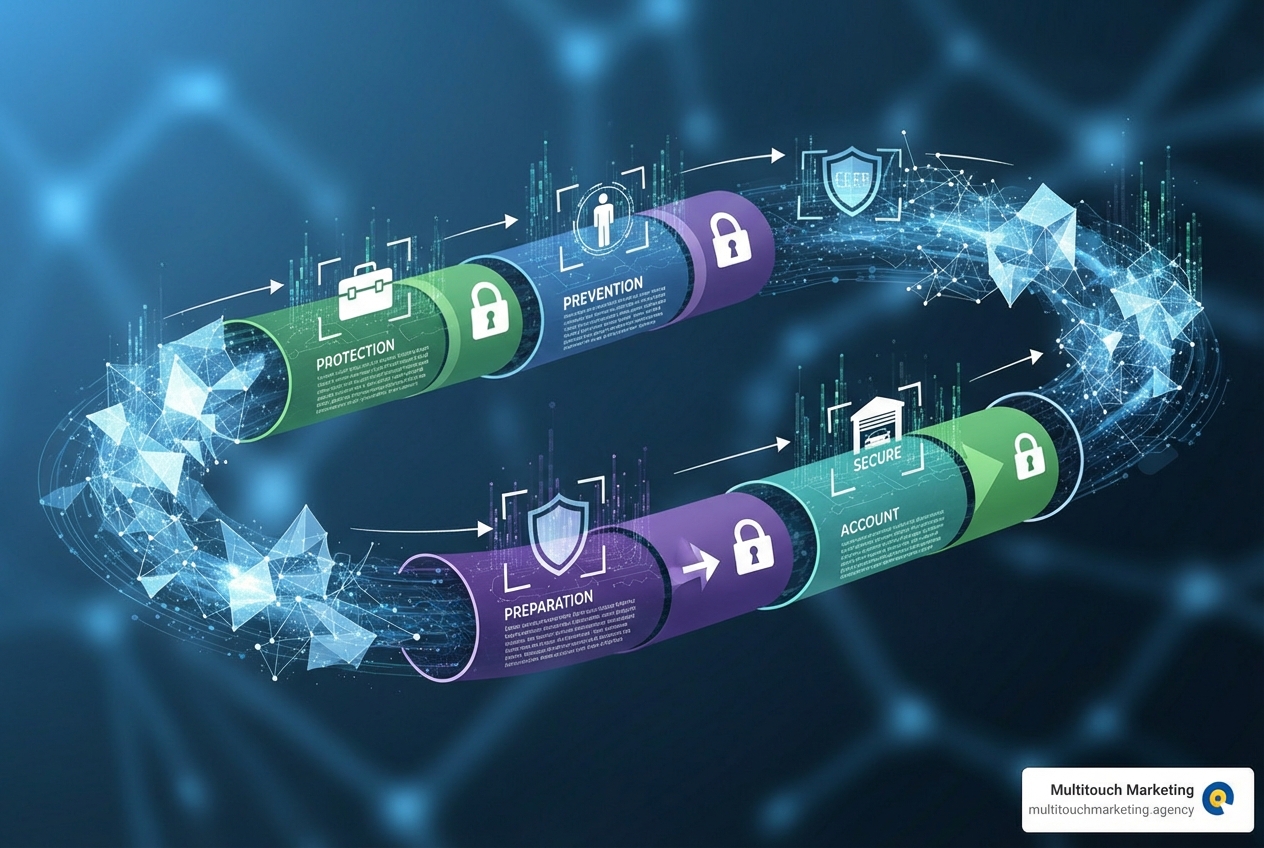
This systematic approach ensures that every certificate on your network, whether for your primary website or internal services, is accounted for and handled proactively.
Stage 1: Findy
The first stage, “Findy,” is about finding every single certificate across your network. This might sound simple, but in complex environments, certificates can be hidden in unexpected places, leading to “shadow IT” where unrecognized certificates pose significant security risks. Automated findy tools can scan your network to uncover both known and unknown certificates. Once found, each certificate should be documented, detailing its issuer, validity period, and purpose. This creates a comprehensive inventory, which is the cornerstone of effective SSL certificate management.
Stage 2: Deployment
Once a certificate is acquired or generated, the “Deployment” stage involves generating a Certificate Signing Request (CSR) and then correctly installing and configuring the SSL certificate across all relevant network components and systems. This includes web servers, load balancers, and application gateways. For instance, AWS Certificate Manager (ACM) simplifies this by allowing you to provision, manage, and deploy public and private SSL/TLS certificates for use with AWS, hybrid, or multicloud workloads. Learn more Requesting a public certificate for use with AWS, hybrid, or multicloud workloadsLearn more. Proper configuration ensures that the certificate is correctly integrated and operational, enabling secure communications.
Stage 3: Renewal
“Renewal” is arguably the most critical stage for preventing service disruptions. SSL certificates have a finite lifespan, and as we noted, these lifetimes are getting shorter—some now as brief as 45 days. Tracking these expiration dates and ensuring timely renewal is paramount to avoid downtime and security vulnerabilities. Expired certificates can lead to website outages, broken trust, and a sudden drop in search engine rankings. Automated renewal processes significantly minimize the risk of expired certificates, promoting continuity in encrypted communication and reducing administrative burden. To keep your website running smoothly and securely, it’s wise to adopt robust maintenance practices. More info about Website Maintenance Best Practices.
Stage 4: Revocation
Finally, “Revocation” is the process of invalidating an SSL certificate before its natural expiration. This is necessary if a certificate’s private key is compromised, if the domain ownership changes, or if the certificate becomes obsolete. Standard methods for revocation include Certificate Revocation Lists (CRLs) and the Online Certificate Status Protocol (OCSP). These mechanisms allow browsers to quickly check if a certificate is still valid or if it has been revoked, preventing its misuse.
Best Practices for Secure and Efficient Certificate Handling
Effective SSL certificate management goes beyond merely reacting to expirations; it involves proactive strategies to prevent common pitfalls and ensure continuous security. Adopting a defined policy for certificate handling is a crucial step towards achieving this.
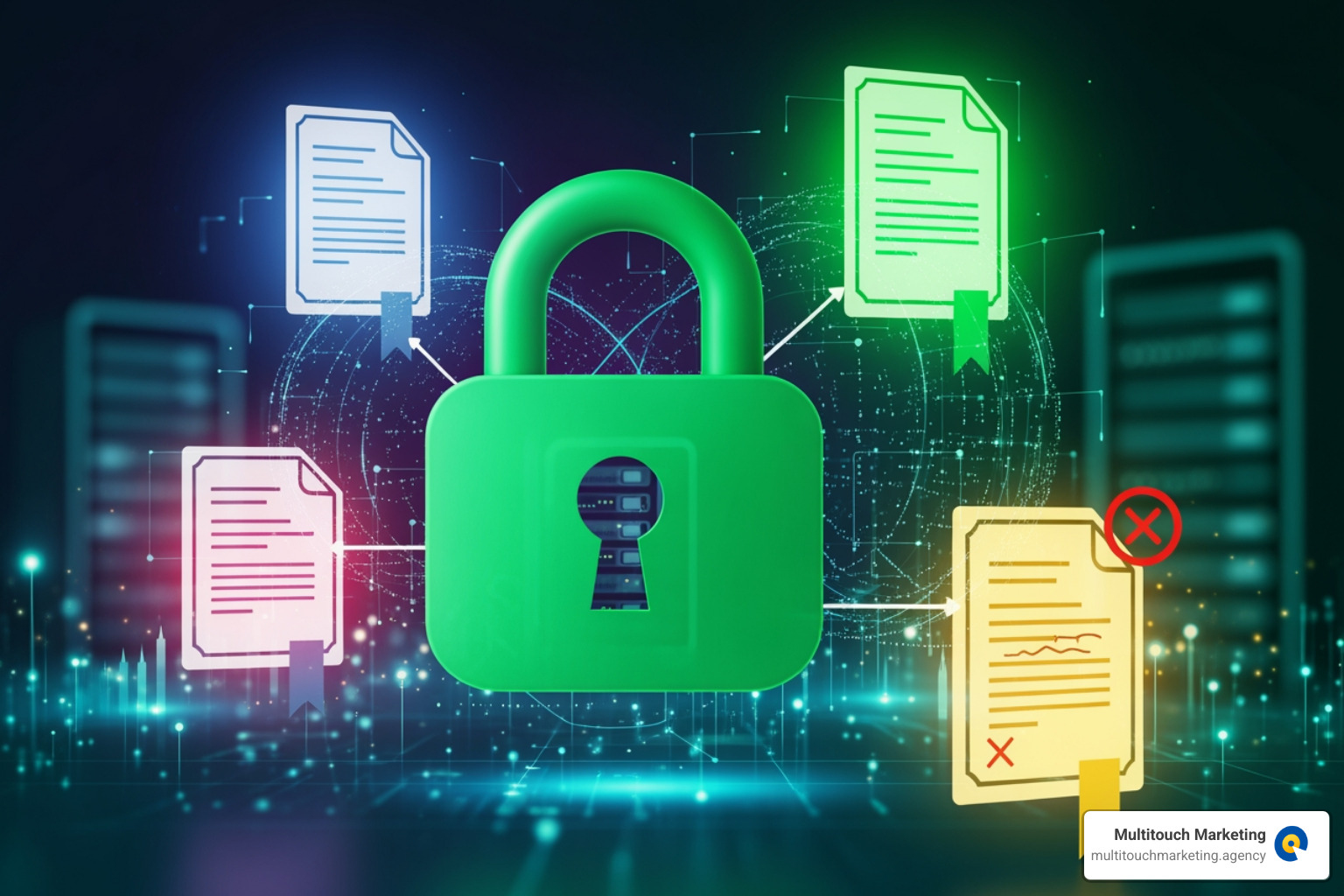
Maintain a Centralized Inventory
Imagine trying to keep track of dozens, or even hundreds, of keys without a key rack. That’s what managing certificates without a centralized inventory feels like! A single source of truth for all your certificates—detailing their expiration dates, issuers, and locations—is indispensable. This organized inventory helps administrators stay aware of each certificate’s status, enabling timely renewals, efficient deployment, and proper revocation processes. It drastically reduces the risk of forgotten certificates, which are often the culprits behind unexpected outages and security gaps.
Enforce Strong Cryptography and Policies
The strength of your website’s security is directly tied to the cryptographic algorithms you use. When choosing private key types, we recommend considering both RSA and ECDSA. RSA is a traditional algorithm, while ECDSA (Elliptic Curve Digital Signature Algorithm) offers better security and performance with significantly shorter key lengths, making it ideal for mobile devices and performance-sensitive applications. The F5 BIG-IP system, for example, supports various key types and even offers FIPS compliance for organizations requiring stringent security standards. Converting keys to FIPS format, while irreversible, can be a necessary step for certain compliance requirements.
Beyond key types, enforcing strong signature algorithms and overall PKI policies ensures that all certificates meet high-security standards. This proactive approach helps defend against interception and data breaches, reinforcing the integrity and confidentiality of your communications. For comprehensive support in maintaining your website’s robust security, exploring our website maintenance services is a great next step. More info about Website Maintenance Services Includes.
Use Certificate Transparency (CT) Logs
Certificate Transparency (CT) logs are publicly auditable, append-only logs that record all newly issued SSL certificates. Think of them as a public ledger for certificates. Their main purpose is to prevent the malicious issuance of unauthorized certificates for your domain. By monitoring these logs, domain owners can gain increased oversight, ensuring that no CA has issued a certificate for their domain without their knowledge. This allows for quick detection of mis-issuance and improves the overall security of the SSL ecosystem.
Embracing Automation for Simplified Renewals
The days of manual certificate tracking, relying on calendar reminders and spreadsheets, are rapidly fading. With decreasing certificate lifetimes—some as short as 45 days—manual SSL certificate management has become a recipe for disaster, leading to human error, administrative burden, and inevitable outages. The shift towards automated management is not just a convenience; it’s a necessity for modern web security and operational efficiency.
What is the ACME Protocol?
The Automatic Certificate Management Environment (ACME) protocol is a communication protocol designed to automate the interactions between Certificate Authorities (CAs) and web servers. It was designed by the Internet Security Research Group (ISRG) for their Let’s Encrypt service, which has revolutionized the availability of free TLS certificates. ACME allows for the automated deployment of Public Key Infrastructure (PKI) at a very low cost, making secure websites accessible to everyone. The protocol operates by passing JSON-formatted messages over HTTPS and has been published as an Internet Standard in RFC 8555. The ACME Protocol Standard.
How to Automate SSL Certificate Management with ACME
Automating SSL certificate management with ACME typically involves using an ACME client, with Certbot being one of the most popular and widely recommended. Certbot, developed by the Electronic Frontier Foundation (EFF), simplifies the process of obtaining and renewing Let’s Encrypt certificates.
The automation works through “domain validation challenges.” Before issuing a certificate, the CA needs to verify that you control the domain. The most common challenges are:
- HTTP-01 Challenge: The ACME client places a specific file at a known URL on your web server, and the CA verifies it by making an HTTP request to that URL.
- DNS-01 Challenge: The ACME client creates a specific TXT record in your domain’s DNS, and the CA verifies it by querying your DNS server. This method is particularly useful for wildcard certificates.
Many popular web servers and platforms now offer built-in ACME support or seamless integration. For example, Apache HTTP Server (version 2.4.30 and later) and Nginx have integrated ACME capabilities, allowing them to automatically obtain and renew certificates without manual intervention. This dramatically simplifies the process for website owners in Raleigh, Durham, and Chapel Hill, NC, ensuring their sites remain secure without constant oversight. For more in-depth guidance on integrating ACME, consult the official documentation. Let’s Encrypt Documentation.
Key Differences Between ACME v1 and v2
The ACME protocol has evolved, and it’s important to understand the differences between its versions:
- ACME v1: The initial version of the protocol, widely adopted for its simplicity. However, it did not support wildcard certificates (e.g.,
*.example.com), meaning you needed separate certificates for each subdomain. Let’s Encrypt issued trusted certificates using ACME v1 for years. - ACME v2: Released on March 13, 2018, ACME v2 brought significant improvements, most notably the support for wildcard certificates. This was a game-changer for managing multiple subdomains, as a single certificate could now secure an entire domain’s subdomains. V2 also introduced new challenge types, like TLS-ALPN-01, and removed older, less secure ones (like TLS-SNI-01/02).
It’s crucial to note that ACME v1 has been officially deprecated. Let’s Encrypt turned off API v1 support on June 1, 2021. If you’re still using an ACME v1 client, upgrade to a v2-compatible client to ensure continuous certificate issuance and renewal. This ensures your website’s security remains uninterrupted.
Conclusion
In the dynamic digital landscape of Raleigh, Durham, and Chapel Hill, NC, proactive SSL certificate management is more than just a technical chore; it’s a fundamental pillar of your online presence. We’ve seen how these digital safeguards encrypt sensitive data, verify your website’s identity, and crucially, build user trust. The meticulous tracking, timely deployment, vigilant renewal, and strategic revocation of certificates are not just best practices—they are necessities to prevent outages, maintain security, and protect your brand’s reputation.
Automation, particularly through the ACME protocol and tools like Certbot, is the undeniable key to modern security and efficiency. It liberates us from the manual burdens and human errors that often plague traditional certificate management, allowing us to focus on what truly drives growth. A secure website isn’t just a technical requirement; it’s a trust signal, a positive user experience, and a critical component of any successful digital marketing strategy. For businesses focusing on driving conversions, a secure and trustworthy site is non-negotiable. At Multitouch Marketing, we understand that every detail, including website security, impacts campaign performance and your bottom line.