

What is Responsive Design and Why Does It Matter?
Responsive design is a web development approach that ensures websites automatically adjust their layout, images, and functionality to provide an optimal viewing experience across all devices—from desktop computers to tablets and smartphones.
Key components of responsive design:
- Fluid Grids – Layouts built using relative units (percentages) instead of fixed pixels
- Flexible Images – Media that scales proportionally within its container using CSS properties like
max-width: 100% - Media Queries – CSS rules that apply different styles based on device characteristics like screen width
Have you ever tried browsing a website on your phone but had to pinch, zoom, and scroll just to read the text? That frustrating experience happens when websites aren’t built responsively. It’s a problem that costs businesses real money—74% of online users are likely to revisit a website with a mobile-friendly design, while non-responsive sites drive potential customers straight to competitors.
The term “responsive web design” was coined by Ethan Marcotte in 2010, but it became essential in 2015 when Google announced “Mobilegeddon”—an algorithm update that started boosting mobile-friendly sites in search rankings. Today, with over half of all web traffic coming from mobile devices, responsive design isn’t optional anymore. It’s the foundation of effective digital marketing.
For small business owners running PPC campaigns, this matters even more. Your ads might be perfectly targeted and beautifully written, but if they lead to a website that doesn’t work on mobile, you’re wasting every click you pay for. A responsive site ensures that visitors from any device can steer easily, read your content comfortably, and convert into customers—maximizing the return on your ad spend.
Whether you’re in e-commerce, healthcare, or education, ensuring your landing pages work seamlessly across devices directly impacts your bottom line.
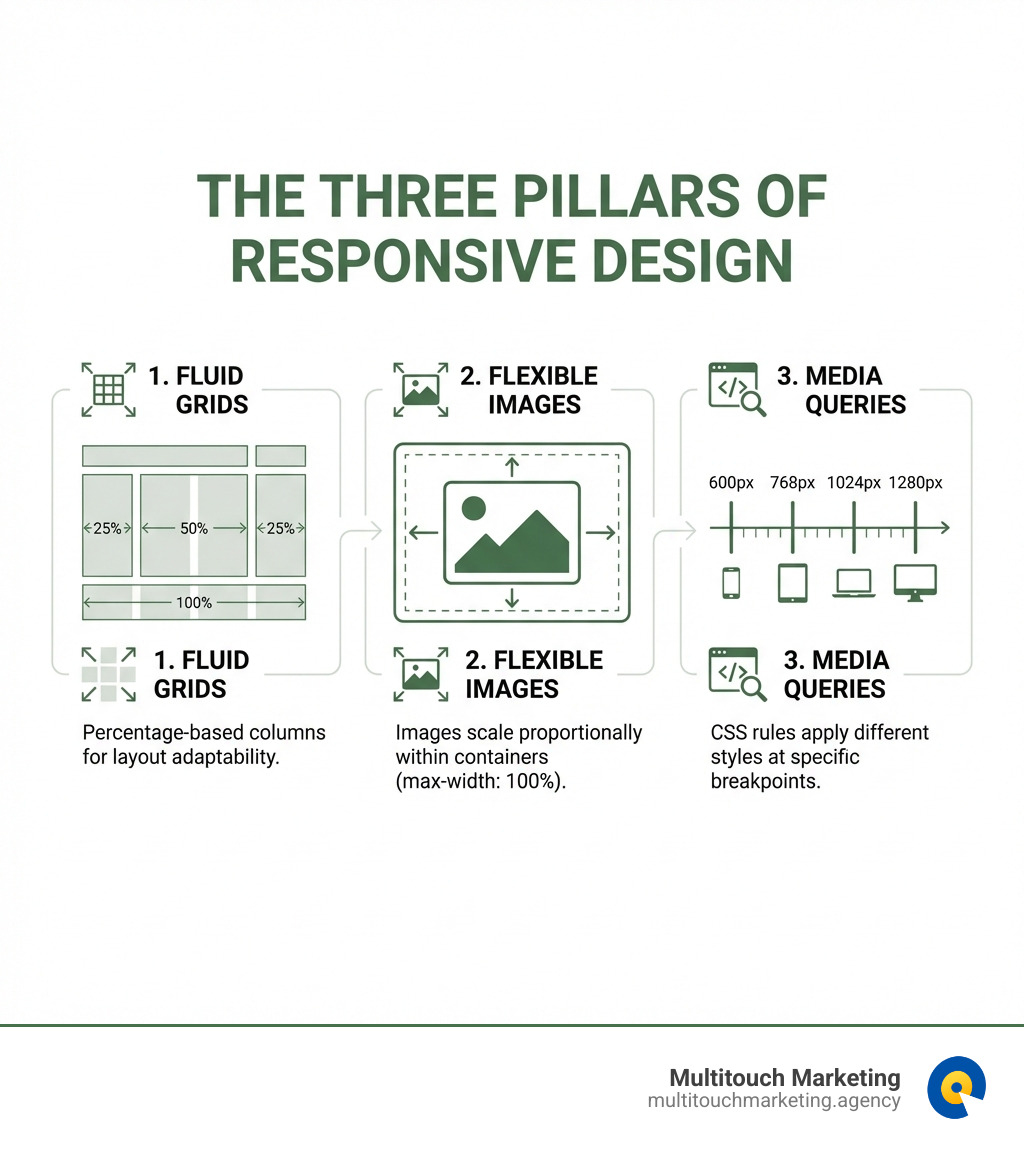
Responsive design terms explained:
The Core Principles of Responsive Design
Responsive design isn’t just about making your website look good; it’s about making it functional and accessible for everyone, everywhere. This approach relies on a few core principles that work together to create a dynamic and adaptable user experience. Think of it like a master builder constructing a house that can magically reconfigure itself based on how many people are living in it or the size of the plot of land. These foundational concepts ensure that your site can gracefully adapt to any screen size, providing a seamless experience whether your audience is browsing from a large monitor in Raleigh, a tablet in Durham, or a smartphone in Chapel Hill.
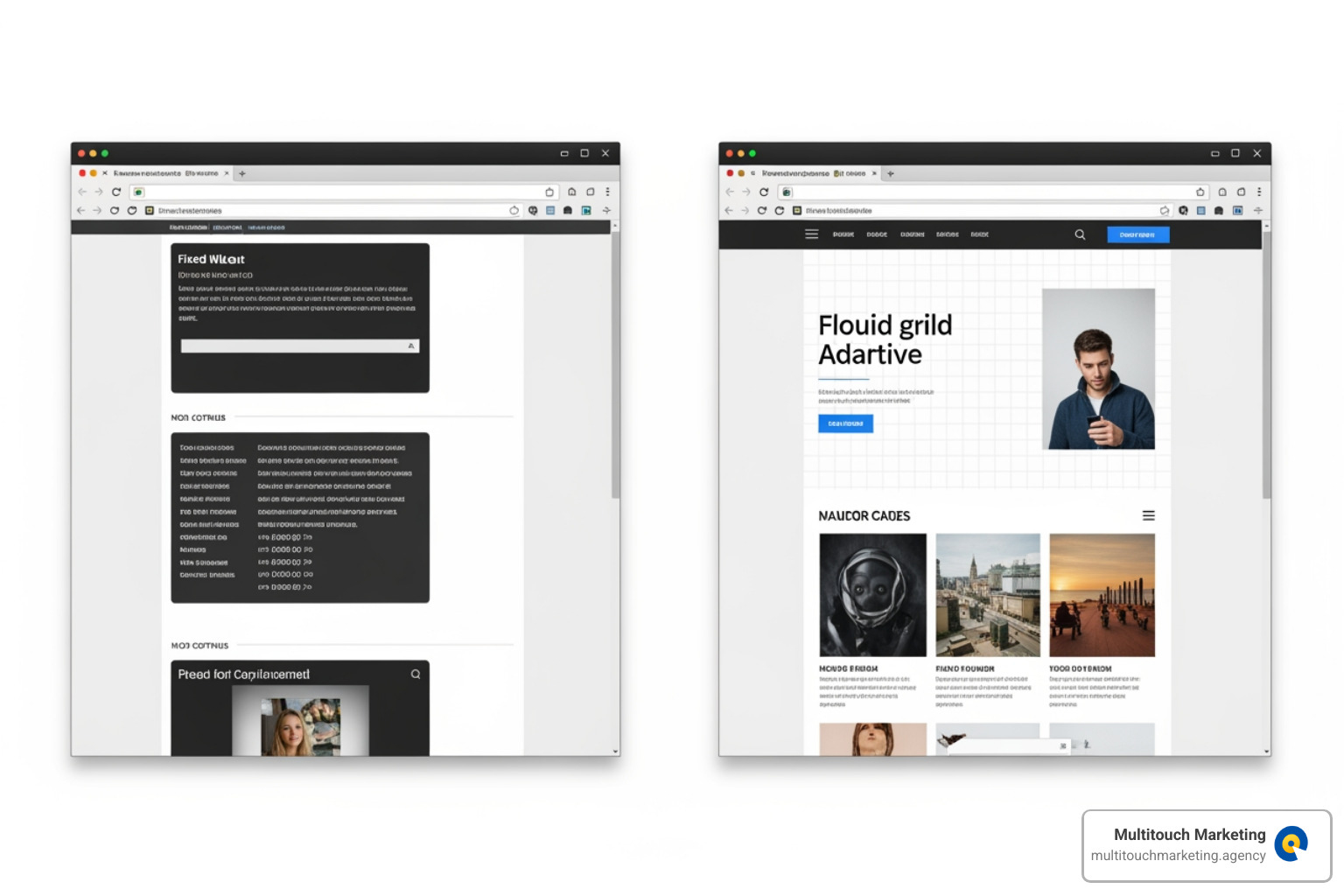
Fluid Grids: The Flexible Foundation
At the heart of responsive design is the concept of fluid grids. Before this innovation, web layouts were often built with fixed pixel widths, meaning they would look great on one specific screen size but would break or require excessive scrolling on others. Imagine trying to fit a square peg into a round hole – it just doesn’t work. Fluid grids, however, use proportion-based layouts, relying on relative units like percentages instead of rigid pixels.
This means that instead of saying an element is “300 pixels wide,” we say it’s “30% of the container’s width.” As the screen size changes, the container’s width changes, and so does the element’s width, maintaining its proportion within the layout. This flexible approach was a game-changer, as advocated by Ethan Marcotte in his seminal article on the topic. It allows content to reflow and reorganize itself neatly, preventing cramped text or awkwardly large empty spaces. For a deeper dive into these foundational principles, check out our Beginners Guide to Responsive Web Design Principles.
Flexible Images and Media
What good is a fluid grid if your images and videos refuse to cooperate? Another critical component of responsive design is flexible media. Large, unoptimized images can be a real drag on performance, especially for mobile users who might be on slower connections. If an image is wider than its container, it will simply overflow, ruining your beautifully crafted layout.
The solution is remarkably simple yet powerful: using CSS properties like max-width: 100%; and height: auto;. This ensures that images will scale down to fit their containers but will never scale up beyond their original size, preserving their quality. For videos, wrapping them in a container with a specific padding-bottom percentage (based on their aspect ratio) allows them to maintain their proportions while scaling fluidly.
However, scaling down a large image for a small screen isn’t always the most efficient approach in terms of performance. Modern web development offers more sophisticated methods, such as the srcset/sizes attributes. These allow us to serve different image files based on the user’s device capabilities and screen size, ensuring faster load times and a better user experience. For more detailed techniques, explore our Responsive Web Design Techniques.
Media Queries: The Magic Ingredient
While fluid grids and flexible media provide the necessary elasticity, media queries are the conductor that orchestrates the entire responsive design symphony. Media queries are a powerful CSS3 feature that allows us to apply different styles based on various device characteristics. They are essentially “conditional comments for the rest of us,” as Ethan Marcotte put it.
Think of media queries as asking the browser, “Hey, what kind of device are you? How wide is your screen? Are you printing this page?” Based on the answers, we can tell the browser to apply a specific set of CSS rules. The most common use case involves min-width and max-width properties to define breakpoints.
Breakpoints are specific viewport widths at which our layout and design will adapt. For example, we might define a breakpoint at 768px. Below this width, elements might stack vertically, but above it, they could arrange themselves into multiple columns. Common breakpoints often include sizes for small phones (e.g., 320px), larger phones (e.g., 480px), tablets (e.g., 768px), and desktops (e.g., 1024px, 1200px, 1440px). However, instead of relying on fixed device sizes, we often use breakpoints where the content naturally starts to look awkward.
By strategically placing these breakpoints, we can ensure that our website provides an optimal layout and user experience across the myriad of devices our audience might use in North Carolina and beyond. For a comprehensive understanding of how to wield this magic, consult A complete guide to CSS media queries and learn more about Responsive Web Design Breakpoints.
Best Practices for a Flawless Responsive Experience
Once you understand the core principles of responsive design, the next step is to apply them effectively to the various components of your website. A truly flawless responsive experience goes beyond just rearranging elements; it optimizes every interaction and visual detail to feel native to the device. This section covers the practical application of these principles to key website components for optimal usability.
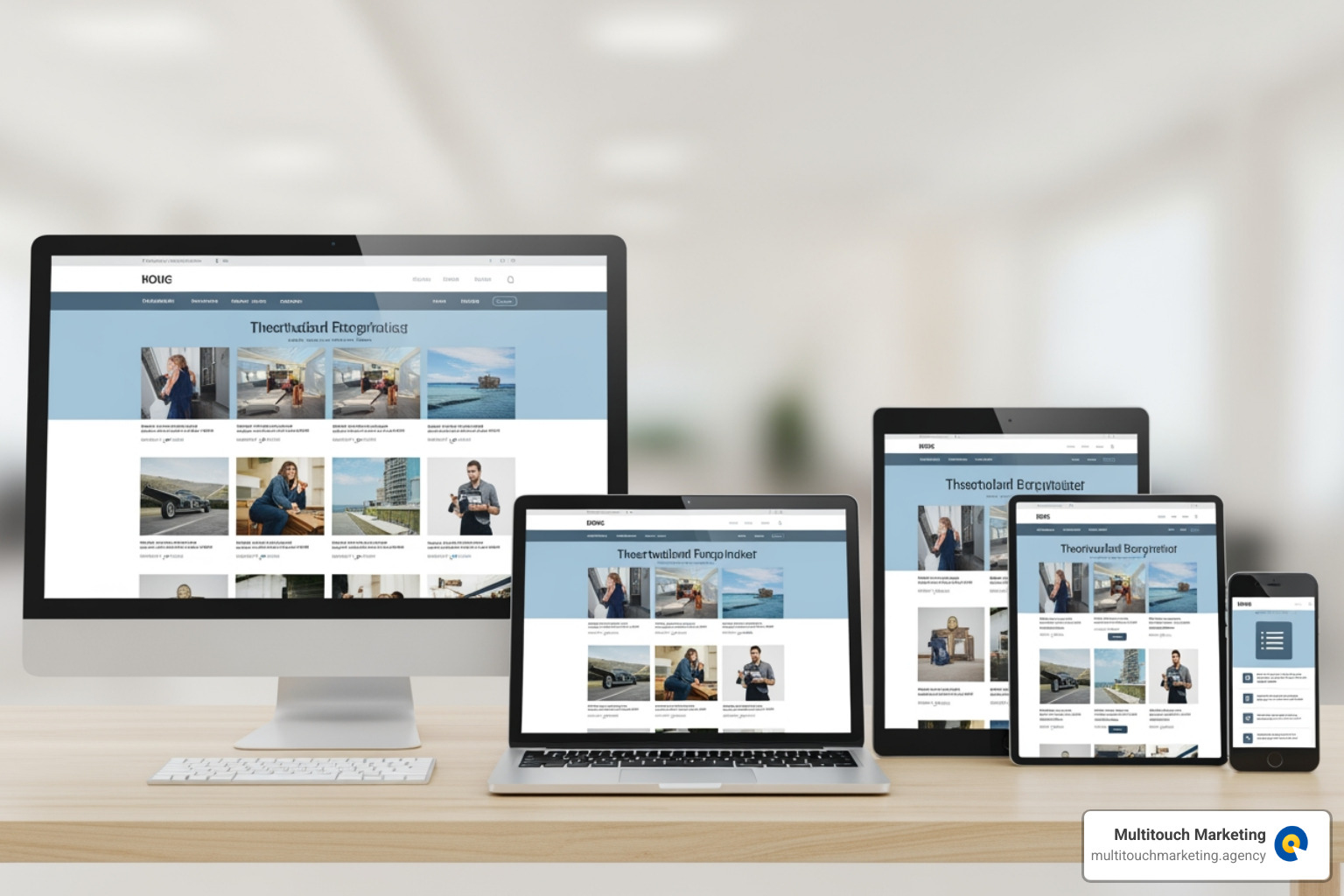
Crafting Responsive Navigation
Navigation is the compass of your website. On a large desktop screen, you might have a sprawling menu with multiple levels, but cramming that onto a small smartphone screen would be a usability nightmare. This is where responsive navigation patterns come into play.
A common and effective pattern is the hamburger menu (those three stacked lines) for smaller screens. It condenses a lengthy desktop menu into a single, recognizable icon, saving valuable screen real estate. Other patterns include “Priority+ navigation,” where less important items are hidden behind a “more” button, or simply using a clean, accessible footer navigation for secondary links.
The key is to ensure that navigation remains intuitive and, most importantly, touch-friendly. This means making sure buttons and links are large enough to be easily tapped with a finger, adhering to principles like Fitts’s Law, which suggests that the time to acquire a target is a function of the distance to and size of the target. Accessibility is also paramount; navigation should be usable for everyone, including those using screen readers or other assistive technologies. A well-crafted responsive navigation system is crucial for guiding your users effortlessly through your site, whether they’re on a desktop in Chapel Hill or a phone in Raleigh.
Ensuring Readable Responsive Typography
Text is the backbone of most websites, and its readability directly impacts user engagement. On a large monitor, you might opt for a generous font size, but that same size could be overwhelming on a phone. Conversely, tiny text on a desktop screen is just plain annoying. Responsive design addresses this through responsive typography.
One approach involves using viewport units like vw (viewport width) or vh (viewport height). For example, font-size: 10vw; means the text will be 10% of the viewport’s width. This allows text to scale fluidly with the screen. However, using vw alone can prevent users from zooming text, which is an accessibility concern. A better practice is to combine viewport units with fixed units (like em or rem) using the clamp() CSS function. This allows you to define a minimum, preferred, and maximum size for your text, ensuring it’s always legible and beautiful, no matter where it appears.
Beyond font size, consider line length. Research shows that optimal readability is often achieved with about 45-75 characters per line. On wide screens, long lines of text can be difficult to read, while on narrow screens, excessively short lines can be choppy. Responsive design allows us to adjust line lengths through media queries, ensuring a comfortable reading experience for all users. For more insights on this, dive into our guide on Responsive Web Design for All Devices.
Tools, Frameworks, and Testing
Building a responsive website from scratch can be a complex endeavor, but thankfully, a fantastic ecosystem of tools and frameworks is available to help.
Popular responsive design frameworks like Bootstrap and Tailwind CSS provide pre-built components and utility classes that make implementing responsive layouts much faster and more efficient. For instance, Tailwind CSS allows you to apply utility classes conditionally at different breakpoints directly within your HTML, making it a piece of cake to build complex responsive interfaces. These frameworks handle many of the underlying CSS complexities, freeing up developers to focus on unique design elements and functionality.
On the design side, tools like Figma have become indispensable. Figma allows designers to create frames that adapt to different screen sizes, using features like Auto Layout and Constraints to simulate responsive behavior. It streamlines the workflow from design to development, especially with features like Dev Mode and various plugins that can even generate code snippets. This process helps ensure that the responsive vision translates accurately into the final product.
Finally, no responsive design is complete without thorough testing and debugging. This means going beyond simply resizing your browser window. Thorough testing should include:
- Browser Developer Tools: Most modern browsers offer responsive design views or device emulation modes that simulate various screen sizes and device types.
- Emulators: Tools that mimic device environments, allowing for testing on different operating systems and browsers without owning every device.
- Real Device Testing: The gold standard. Nothing beats testing on actual smartphones and tablets to ensure designs hold up in the real world.
Effective testing involves checking for smooth layout adjustments, readable content, functional navigation, and proper touch interactions at all breakpoints. It’s an iterative process, but it’s crucial for delivering a truly flawless responsive experience.
The Business Impact: SEO, User Experience, and Conversions
A responsive site isn’t just a technical achievement; it’s a critical business asset that directly impacts your bottom line. For businesses in Raleigh, Durham, Chapel Hill, and across North Carolina, a website that adapts to every screen isn’t just good practice—it’s a necessity for thriving in the digital landscape.
How Responsive Design Affects SEO
Google is smart, and it values user experience above almost everything else. This is why responsive design is a cornerstone of effective SEO. As early as 2015, Google announced “Mobilegeddon,” beginning to boost the page ranking of mobile-friendly sites. Today, with mobile-first indexing, Google primarily uses the mobile version of your content for indexing and ranking. If your site isn’t responsive, you’re essentially telling Google that your content isn’t optimized for the majority of its users.
A single URL for your website, regardless of the device, is another significant SEO advantage. Unlike separate mobile sites (e.g., m.example.com) that require complex redirects and duplicate content considerations, responsive design simplifies things for search engine crawlers. It means less work for Google to crawl and index your content, leading to better findability.
Furthermore, responsive sites contribute to lower bounce rates and stronger user engagement signals. When users land on a mobile-friendly site, they’re more likely to stay, explore, and interact. These positive signals tell Google that your site provides value, which can further improve your search rankings. Responsive design can improve SEO by offering a consistent user experience and faster load times. Since Google prioritizes mobile-friendly sites in ranking, responsive design can also increase your website’s visibility and organic traffic. This is a critical insight for Responsive Web Design and Search Engine Optimization.
Enhancing User Experience (UX) and Conversion Rates
We’ve all experienced the frustration of a non-responsive site. It’s like trying to read a newspaper through a keyhole. This poor user experience directly impacts your ability to convert visitors into customers. Conversely, a smooth, adaptable experience fosters trust and encourages engagement.
Remember the statistic? 74% of online users are likely to revisit a website with a mobile-friendly design. This isn’t just a vanity metric; it’s a testament to the power of a positive user experience. When users can effortlessly steer, read, and interact with your site on any device, they feel valued and are more likely to complete desired actions, whether that’s filling out a contact form, making a purchase, or signing up for a newsletter.
Faster load times, often a byproduct of optimized responsive designs, also play a huge role. Walmart famously found that for every 1-second improvement in load time, conversions increased by around 2%. In today’s digital world, every second counts. A responsive site reduces friction, increases trust, and ultimately boosts conversion rates. This is why it’s clear that Responsive Website Design Matters for SEO and for your overall business success.
Frequently Asked Questions about Responsive Design
Here are some of the most common questions about responsive design.
What is the difference between responsive and mobile-first design?
This is a great question, and the terms are often used interchangeably, but there’s a subtle yet important distinction.
Responsive design is the overarching approach that ensures your website adapts to any screen size. It’s the “what” – the method of using fluid grids, flexible images, and media queries to create adaptable layouts.
Mobile-first design, on the other hand, is a strategy within responsive design. It’s the “how” you approach the design and development process. With mobile-first, you start designing and developing for the smallest screens (mobile phones) first. You build out the core content and functionality for these constrained environments, and then progressively improve the design for larger screens (tablets, desktops).
Why mobile-first? Because it forces a prioritization of content and functionality. Mobile users typically have less screen space, slower connections, and often a more focused intent. By ensuring the site works beautifully and efficiently on mobile, you guarantee a solid foundation. This is often contrasted with “desktop-first,” which can sometimes lead to trying to “gracefully degrade” a complex desktop layout for mobile, often resulting in compromises. Mobile-first is about building up, not stripping down.
What are the biggest challenges in responsive design?
While immensely beneficial, responsive design isn’t without its problems. Here are some of the biggest challenges:
- Performance Optimization: While responsive design can improve performance by serving optimized assets, it can also become a challenge if not handled carefully. Sending large images or complex CSS to mobile devices can slow things down. It’s a constant challenge to find the right balance, ensuring fast load times for all users.
- Complex Layouts: Translating highly intricate desktop layouts to smaller screens while maintaining visual hierarchy and usability can be tricky. Sometimes, elements need to be completely reorganized or even hidden, which requires careful planning.
- Testing Across Countless Devices: The sheer number of devices, screen sizes, resolutions, and operating systems makes comprehensive testing a significant challenge. While developer tools and emulators help, real device testing across a wide range of devices is essential.
- Navigation on Small Screens: As discussed earlier, condensing complex navigation into an intuitive mobile experience requires thoughtful design decisions to avoid clutter and maintain ease of use.
- Ad Integration: For sites relying on advertising, making sure ads are responsive and don’t disrupt the user experience on smaller screens can be a delicate balancing act.
Overcoming these challenges requires a combination of technical expertise, creative problem-solving, and a deep understanding of user behavior.
How has responsive design evolved since it was first introduced?
Responsive design has come a long way since Ethan Marcotte first coined the term in 2010. Initially, it primarily relied on fluid grids, flexible images, and media queries. These were at the time, but the web development landscape has continued to evolve at a rapid pace.
- From Floats to Flexbox and CSS Grid: Early responsive layouts often relied on floats for column structures, which could be cumbersome. The introduction of CSS Flexbox and, more recently, CSS Grid has completely transformed layout design. These modern CSS layout methods are inherently responsive, making it much easier to create complex, adaptable layouts with less code and greater control.
- Rise of Component-Based Design: With the advent of JavaScript frameworks and libraries, web development has shifted towards a component-based approach. This pairs perfectly with responsive design, as individual components can be designed to be intrinsically responsive and reusable across different contexts.
- Container Queries: A relatively new and exciting development, container queries allow us to style elements based on the size of their parent container, rather than the entire viewport. This is a game-changer for building truly modular and reusable components, as they can adapt to the space available to them, regardless of the overall screen size.
- User Preference Media Features: Beyond screen size, modern media queries allow us to respond to user preferences. Features like
prefers-color-scheme(for dark mode),prefers-reduced-motion, andprefers-contrastenable us to adapt designs to individual user settings, further enhancing the personalized user experience.
The evolution of devices, from simple smartphones to smartwatches and even foldable screens, continues to push the boundaries of responsive design. What started as a clever technique has become a fundamental philosophy for building the modern web.
Conclusion: Future-Proofing Your Digital Presence
In today’s multi-device world, responsive design is no longer a luxury; it’s a fundamental requirement for any successful online presence. We’ve explored how it ensures your website looks great and functions flawlessly across every screen size, from desktop monitors in your Raleigh office to smartphones on the go in Durham. We’ve dug into its core principles—fluid grids, flexible images, and media queries—and discussed best practices for crafting responsive navigation and typography. We also touched upon the powerful tools and frameworks that aid in its implementation and the crucial role of thorough testing.
More importantly, we’ve highlighted the undeniable business impact of responsive design. It’s a critical asset for your digital marketing strategy, directly influencing your SEO rankings, enhancing user experience, and ultimately boosting your conversion rates. A truly responsive website can transform a digital presence, turning casual visitors into loyal customers.
At Multitouch Marketing, we understand that your website is the cornerstone of your digital strategy. By ensuring your website provides an optimal experience on every device, you create a stronger foundation for your PPC campaigns and overall digital strategy, maximizing your return on investment. Don’t let a non-responsive website be the weak link in your marketing efforts.
Ready to ensure your website is perfectly optimized for every user, every device, everywhere? Explore our Responsive Web Design services and let us help you build a future-proof digital presence.