
Why LinkedIn Page Insights Are Essential for Business Growth
LinkedIn Page insights give you a clear picture of how your business is performing on the world’s largest professional network — with over 500 million users, most of them business professionals and decision-makers.
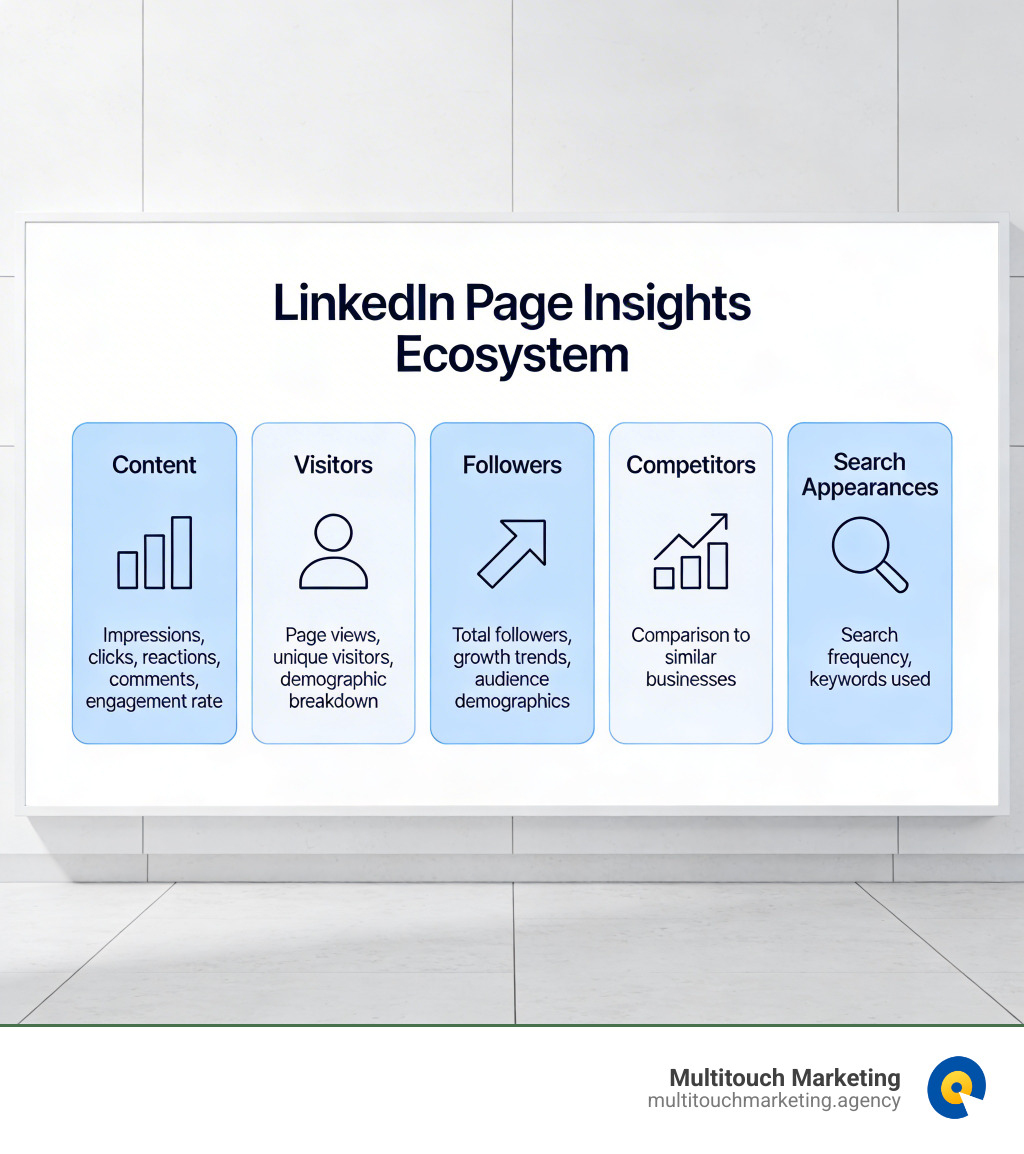
Here’s a quick summary of what LinkedIn Page insights cover:
| Analytics Category | What It Shows |
|---|---|
| Content | Impressions, clicks, reactions, comments, engagement rate |
| Visitors | Page views, unique visitors, demographic breakdown |
| Followers | Total followers, growth trends, audience demographics |
| Search Appearances | How often your Page appears in search, keywords used |
| Competitors | How your Page compares to similar businesses |
| Newsletters | Subscriber trends, article performance |
| Leads | Lead generation data from your Page |
| Employer Brand | Career Pages engagement and trends |
To access LinkedIn Page insights:
- Go to your Page admin view
- Click Analytics in the left menu
- Select a category: Content, Visitors, Followers, Search Appearances, Leads, Newsletters, Competitors, or Employer Brand
These analytics are available to all LinkedIn Page admin roles — no special tier required for the core features.
Knowing your numbers is only half the battle. The real value comes from acting on what you find. Are visitors not converting to followers? Is your engagement rate dropping? Are competitors growing faster? Your Page insights tell you exactly where to look.
I’m Milton Brown, a digital marketing strategist with experience running data-driven campaigns for organizations across education, e-commerce, non-profit, and healthcare — and linkedin page insights have been a consistent cornerstone of the social strategies I build for clients. In the sections ahead, I’ll walk you through every part of the LinkedIn analytics ecosystem so you can turn raw data into real business growth.
How to Access and Navigate LinkedIn Page Insights
Navigating the backend of a professional platform can sometimes feel like trying to find a specific file in a messy office. Thankfully, LinkedIn has streamlined the process for admins. To get started, you must first ensure you are in the “Admin View” of your company page. If you are looking at your page as a member would, you won’t see the data we’re after.
Once you are in the admin view, look at the left-hand sidebar. You’ll see a menu item labeled Analytics. Clicking this will open a dropdown menu featuring several tabs: Content, Visitors, Followers, Search Appearances, Leads, Newsletters, Competitors, and Employer Brand. Each of these serves as a specialized lens through which you can view your performance.
While the desktop experience offers the most robust reporting capabilities, you can also check your stats on the go. On the LinkedIn mobile app, tap your profile picture, access your Page, and look for the analytics summary. However, keep in mind that mobile analytics are often limited to the last 30 days of data. For deep dives and advanced social media analytics, we always recommend using the desktop version.
For a detailed step-by-step on finding these menus, you can refer to the official LinkedIn Page analytics | LinkedIn Help documentation.
Requirements for Accessing LinkedIn Page Insights
You don’t need a secret handshake to see your data, but you do need the right permissions. linkedin page insights are available to all Page admin roles. Whether you are a Super Admin, Content Admin, or Analyst, you have the clearance to view these metrics.
While basic Page insights are free for admins, LinkedIn does offer “Company Insights” as a Premium feature. This is slightly different; it allows Premium members to see growth trends, employee distribution by function, and hiring trends for any company, not just their own. This is particularly useful for business development and market research in the Raleigh and Durham areas.
Understanding Visitor and Follower Demographics in LinkedIn Page Insights
One of the most powerful features of linkedin page insights is the ability to see exactly who is interacting with your brand. We aren’t just looking at names; we are looking at professional identities. LinkedIn categorizes this data into several key segments:
- Job Function: Are you reaching CEOs or entry-level coordinators?
- Seniority: Is your content resonating with decision-makers?
- Industry: Are you successfully breaking into the tech sector in the Research Triangle Park?
- Company Size: Are you attracting “mom and pop” shops or Fortune 500 giants?
- Location: Are your visitors coming from Raleigh, NC, or are they international?
By analyzing these social media audience insights, we can help you tailor your messaging. If you notice a high volume of visitors from the healthcare industry but your content is focused on retail, it’s time to pivot your strategy to meet the audience where they are.
Core Categories of LinkedIn Analytics
The LinkedIn analytics dashboard is divided into distinct categories that help you track every stage of the marketing funnel, from initial discovery to lead conversion.
Measuring Content Performance and Engagement Rate
The Content tab is where the magic happens for your creative team. This section allows you to gauge the effectiveness of your updates, videos, and articles. Key metrics include:
- Impressions: The number of times your post was shown on a screen. LinkedIn considers an impression to be 50% of the post visible for at least 300 milliseconds.
- Clicks: How many people actually clicked on your content, your logo, or your name.
- Reactions, Comments, and Reposts: These are your “social signals.” While reactions and comments update in near real-time, other metrics can take up to 48 hours to fully populate.
- Engagement Rate: This is arguably the most important metric. LinkedIn calculates this as: (Clicks + Reactions + Comments + Reposts + Follows) / Impressions.
A high engagement rate suggests your content is relevant and valuable to your audience. If your impressions are high but your engagement is low, your “hook” might not be strong enough. For more on how to read these specific numbers, see Content analytics for your LinkedIn Page | LinkedIn Help.
Leveraging Competitor Analytics for Strategic Growth
You don’t operate in a vacuum. Your competitors in North Carolina are also vying for the attention of your target audience. The Competitor analytics tab allows you to add up to nine competitors to track.
Once set up, you can compare your follower growth and organic content engagement against theirs. This isn’t about “copying” what they do, but rather performing a social media competitor analysis to find gaps in the market. If a competitor is seeing massive engagement on video content while you are only posting text, it might be time to invest in a camera.
Using the best social media analytics tools for competitor analysis can further enhance this by providing sentiment analysis and share-of-voice data that native LinkedIn tools might miss.
Data Retention and Exporting Reports
Data is only useful if you can store it and present it. LinkedIn allows you to export your linkedin page insights as XLS files, which is perfect for creating monthly reports or doing deeper data manipulation in Excel.
However, you need to be aware of the “expiration dates” on certain types of data:
- Video Analytics: Performance data and viewer demographics are available for 180 days.
- Articles and Newsletters: These have a longer shelf life, with analytics available for two years.
- Discovery and Social Engagement: For most other content types, these counts are stored for 1,000 days.
- Member Reach: Data on how many unique members you reached is available for 400 days.
- Demographics: Detailed demographic breakdowns for content usually last 180 days.
If you need to keep records beyond these windows, regular exports are essential. For businesses looking to automate this, many social media marketing analytics tools can pull this data via API and store it indefinitely.
Frequently Asked Questions about LinkedIn Analytics
One common source of confusion is the difference between what you see on your personal profile and what you see on your business page.
| Feature | Page Analytics | Individual Post Analytics |
|---|---|---|
| Access | Any Page Admin | Only the Post Creator |
| Audience | Followers & Visitors | Connections & Followers |
| Demographics | Aggregated by industry, role, etc. | Available for public posts only |
| Retention | Up to 1,000 days | Varies (Video 180 days) |
| Goal | Brand growth & Lead gen | Personal branding & Networking |
How long is LinkedIn analytics data available?
As mentioned, it depends on the content type. Video demographics disappear after 180 days, while article performance stays for two years. General engagement counts for posts can be viewed for nearly three years (1,000 days). We recommend a quarterly “data harvest” where you export your XLS files to ensure you never lose historical context.
What is a good engagement rate on LinkedIn?
This is the million-dollar question. While it varies by industry, a “good” organic engagement rate on LinkedIn typically falls between 2% and 5%. However, if you are running highly targeted niche content, you might see much higher numbers.
A strong Call to Action (CTA) can increase your click-through rate by about 2.8%. If your engagement is lagging, try being more direct with what you want your audience to do—whether it’s “Comment below” or “Download our guide.”
Can I see who specifically visited my LinkedIn Page?
The short answer is: mostly no. LinkedIn protects member privacy by providing aggregate data. You can see that 50 people from “Marketing” visited your page, but you won’t get a list of their names.
However, there is a small exception. In your Notifications tab, LinkedIn sometimes provides a “Visitor Analytics” notification that might show you one or two “eligible members” who have visited your page recently. This is a teaser meant to encourage you to engage with the platform, but it is not a comprehensive list of all visitors.
Conclusion
Mastering your business presence in the Raleigh-Durham area requires more than just “posting and praying.” It requires a deep dive into linkedin page insights to understand what moves the needle for your professional audience. From tracking your engagement rate to benchmarking against local competitors, these metrics provide the roadmap for your digital success.
At Multitouch Marketing, we specialize in turning these insights into high-performing PPC strategies. Whether you are looking to lower your cost per lead or increase your brand’s authority in North Carolina, we have the expertise to help you navigate the complexities of LinkedIn’s data.
Ready to take your professional presence to the next level? Master your social media marketing with us today and let’s turn those analytics into ROI.