

Your Website’s Ultimate Insurance Policy
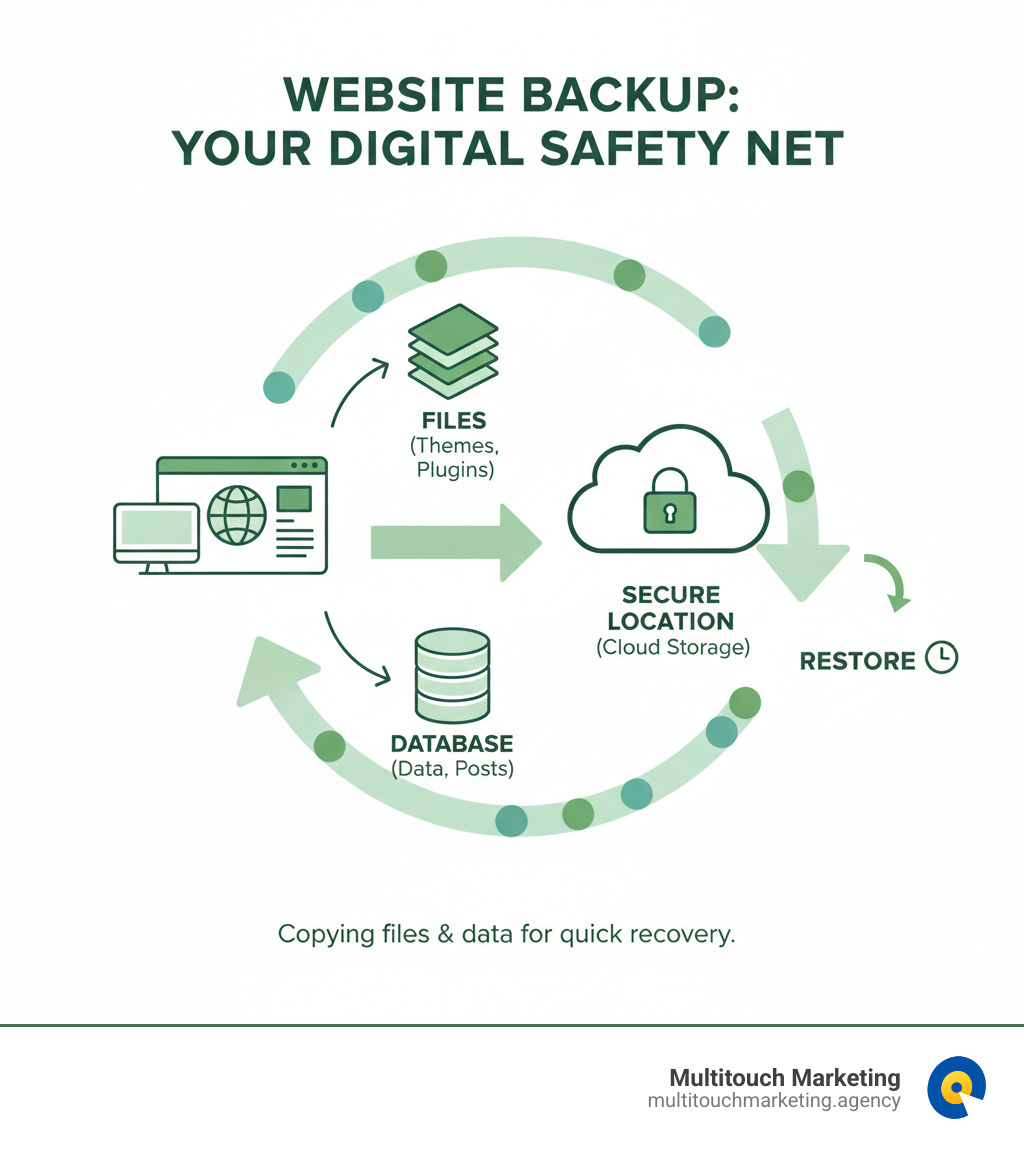
Daily website backups are automated copies of your website’s files and database, saved to a secure, off-site location. They are your digital safety net, allowing you to restore your site quickly if something goes wrong. A proper strategy involves backing up all files and the database daily (or hourly for active sites), using an automated service, and retaining copies for at least 30 days.
Imagine your successful e-commerce site suddenly shows an “insecure” notice, scaring away customers. This happens daily to businesses without a solid backup plan. Website crashes, cyberattacks, and human error can destroy years of work in seconds. The difference between a minor hiccup and a business-ending disaster is a recent, reliable backup.
The good news is that setting up daily backups is straightforward. The right strategy provides the peace of mind to focus on growth instead of data loss.
I’m Milton Brown, and since 2008, I’ve helped businesses implement robust backup and disaster recovery strategies. In this guide, I’ll show you how to set up an automatic backup system that ensures your site is always recoverable.
The Undeniable Importance of Daily Website Backups
Your website is your digital storefront, working 24/7. Imagine it vanishing overnight due to a server crash, malware attack, or a simple mistake. Without daily website backups, this is a crisis. With them, it’s a minor bump in the road.
Backups are the foundation of business continuity and disaster recovery. They allow you to bounce back quickly, minimizing downtime while protecting your business from reputational damage and lost revenue.

Why Daily Backups Are Non-Negotiable
The question isn’t if something will go wrong, but when. Hacking attempts, malware, and ransomware are constant threats. A clean backup is your fastest path to recovery, allowing you to restore a clean version of your site instead of negotiating with attackers or spending days cleaning infected files.
Even mundane issues like failed updates, plugin conflicts, or accidental deletion can take your site down. An employee deletes the wrong folder, or a plugin update breaks your layout. Without a backup, you face hours of troubleshooting. With one, you click restore and solve the problem later. (For more on safe updates, see our guide on Website Maintenance Best Practices.)
Even reliable hosts experience server crashes. Having your own independent backups means you’re not at the mercy of your host’s recovery timeline.
The High Cost of Inaction
Skipping daily backups is like driving without insurance. The risks are immense:
- Permanent Data Loss: Years of content, customer data, and order history can vanish instantly.
- Damaged SEO Rankings: Search engines penalize unavailable or infected sites, and recovering your rank can take months.
- Eroded Customer Trust: A broken or insecure site sends customers straight to your competitors. Research from the Nielsen Norman Group shows that users make snap judgments about websites; if yours isn’t there, they’ll find one that is.
- Legal & Compliance Issues: For businesses handling sensitive data, data loss can lead to hefty fines under regulations like GDPR or HIPAA.
- Wasted Resources: Rebuilding a site from scratch is a costly nightmare that diverts your team from growth-focused activities.
The small investment in daily backups pays for itself the first time you need them—and you will need them.
Implementing Your Daily Backup Strategy
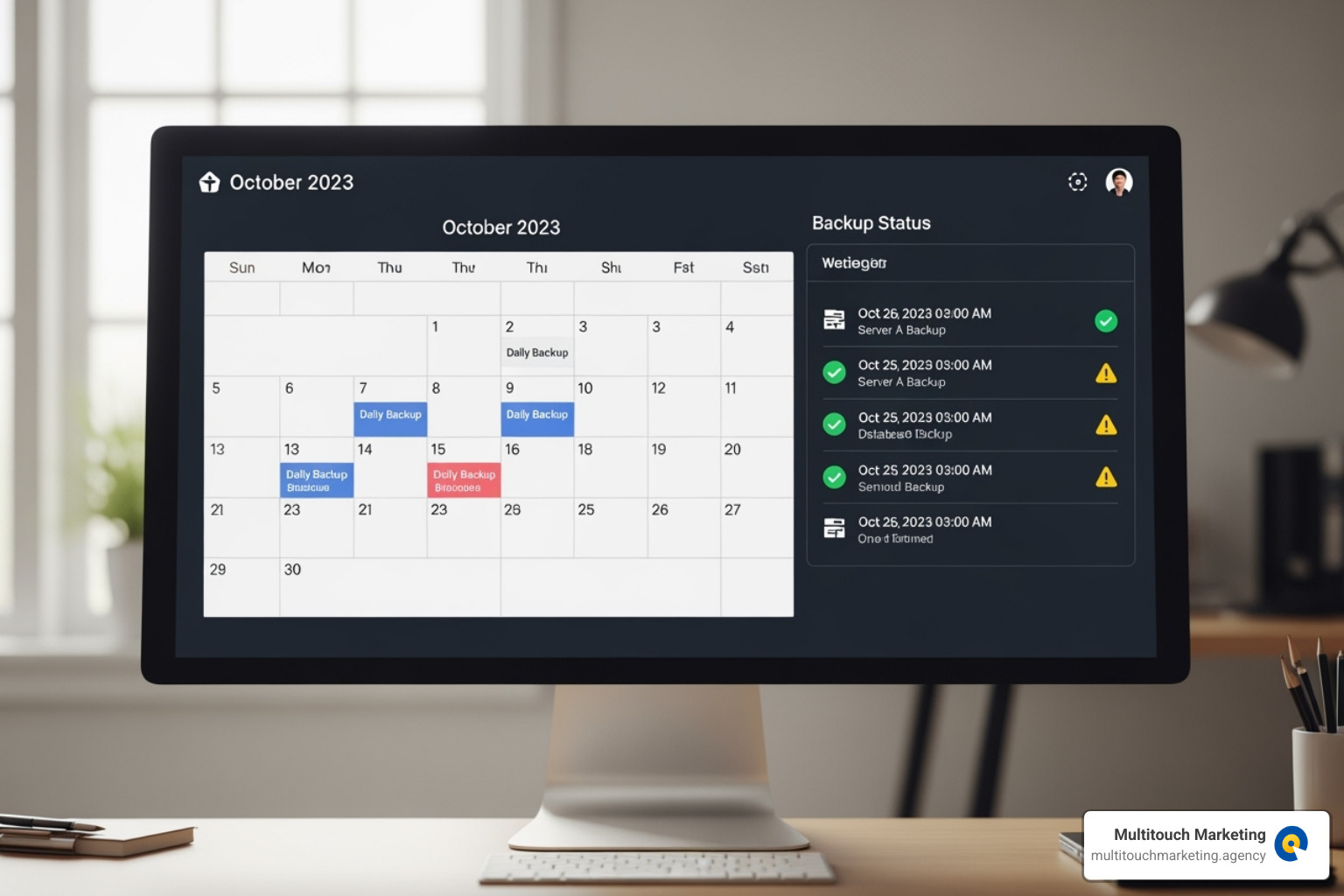
Now that you know the “why,” let’s cover the “how.” A solid daily website backup strategy should be automated, running in the background so you can focus on your business. Consistency is key, ensuring every part of your site is captured on schedule.
What to Include in Your Backup
A complete backup is a full snapshot of your digital presence. This includes two critical components:
- Website Files: This is the structure of your site. It includes core CMS files (like WordPress), themes (design and layout), plugins (added functionality), and your uploads folder (images, PDFs, etc.).
- Website Database: This is the heart of your site, typically a MySQL database. It stores all your dynamic content: user data, e-commerce orders, posts, pages, comments, and site settings. Without the database, your files are just an empty shell.
Understanding Full, Incremental, and Differential Daily Backups
Not all backups are the same. Understanding the types helps you optimize for speed and storage.
- Full Backup: Copies everything, every time. It’s the easiest to restore but uses the most time and storage space. Best for weekly or monthly baselines.
- Incremental Backup: Saves only what’s changed since the last backup (full or incremental). It’s fast and uses minimal storage, but restoration is more complex as it requires the full backup plus all subsequent incremental files.
- Differential Backup: Saves what’s changed since the last full backup. It’s a middle ground for speed and storage, and restoration only requires the last full backup and the latest differential file.
| Backup Type | Speed of Backup | Storage Space Required | Restoration Complexity |
|---|---|---|---|
| Full | Slowest | Most | Easiest |
| Incremental | Fastest | Least | Most Complex |
| Differential | Moderate | Moderate | Moderate |
A common strategy is a weekly full backup combined with daily incremental backups.
Determining Your Ideal Backup Frequency
“Daily” is a baseline, but your site’s activity dictates the ideal frequency.
- Static or Portfolio Sites: Weekly backups are often sufficient for sites that rarely change.
- Blogs and News Sites: Daily backups are the minimum to protect new content. If you publish multiple times a day, consider hourly backups.
- High-Activity Sites (Memberships, Forums): Hourly backups are necessary to capture constant user interactions.
- E-commerce Stores: Real-time or hourly backups are essential. Losing even an hour of orders and customer data can be costly. Services like Jetpack offer real-time backups for this reason.
As a pro tip, always perform an on-demand backup before making major changes like updating plugins or themes. This gives you an immediate rollback point. For more on site maintenance, see our article on what Website Maintenance Services Includes.
Secure Storage and Restoration Best Practices
Having daily website backups is only half the battle. Where you store them and how you restore them are just as critical. A backup stored on the same server as your website is vulnerable to the same threats, like a server crash or cyberattack. That’s why off-site storage is a must.

Your backup data must also be encrypted during transfer and at rest to protect sensitive business and customer information.
The 3-2-1 Rule: A Bulletproof Storage Strategy
The gold standard for data protection is the 3-2-1 Rule. It ensures redundancy and resilience:
- Keep three copies of your data (your live site + two backups).
- Use two different media types (e.g., cloud storage and a local drive).
- Keep one copy off-site (geographically separate).
This layered approach protects you from nearly any disaster, from hardware failure to a fire at your data center.
The Role of Cloud Storage
Cloud storage is essential for fulfilling the “one off-site copy” rule. It offers key advantages:
- Scalability: Cloud storage grows with your needs without requiring new hardware.
- Accessibility: Restore your site from anywhere with an internet connection, which is crucial for rapid recovery.
- Security: Reputable providers like Google Drive, Dropbox, and S3 compatible storage services offer enterprise-grade encryption and redundancy.
Many backup plugins integrate directly with these services, automating the entire process. For many businesses, using the cloud is a smart, secure, and scalable way to protect digital assets, a key service offered by top Website Management Companies.
The One-Click Restore: Recovering Your Site
When your site is down, every minute counts. A “one-click restore” feature is vital for minimizing your RTO (Recovery Time Objective). It allows you to select a clean backup point and initiate the restoration of your files and database with a single click, getting you back online in minutes instead of hours.
However, a restore feature is useless if it doesn’t work. You must test your backups regularly. Restore a backup to a staging environment (a private copy of your site) to verify its integrity. This ensures your backups are complete and functional, and it familiarizes you with the process before a real crisis hits. Our Website Maintenance and Support services include regular testing to ensure you’re always prepared.
Beyond Disaster Recovery: Advanced Uses and Considerations
Daily website backups are for more than just disaster recovery. They are versatile tools that can streamline development and improve security. For example, a full backup makes website migration to a new host a smooth, low-risk process. You can also restore a backup to a staging environment to safely test new plugins or design changes without affecting your live site.

Your First Line of Defense Against Malware and Ransomware
Backups are a powerful weapon against cyberattacks. If your site is hit with malware or ransomware, attackers expect you to pay. With clean, daily website backups, you remove their leverage. Instead of negotiating, you can identify when the infection occurred, restore a clean version from before the attack, and get back to business. This transforms backups from a passive safety net into an active part of your cybersecurity strategy.
Choosing the Right Backup Solution
The best solution depends on your platform, technical comfort, and budget.
- Hosting Provider Backups: Convenient but risky. Many hosts offer backups, but they are often stored on the same server as your site, creating a single point of failure. Always verify their storage practices and restoration policies.
- Third-Party Backup Services: These operate independently of your host, storing data in secure, off-site locations. They often include valuable extras like malware scanning and one-click restores.
- Backup Plugins (for WordPress): Plugins like Jetpack Backup or BackWPup offer great flexibility, allowing you to schedule backups and send them to cloud services like Dropbox or Google Drive.
When choosing, prioritize ease of use, automated scheduling, off-site storage, and quality support. For help selecting a provider, see our list of the Best Website Maintenance Companies.
Understanding the Costs
Think of backups as insurance, not an expense. Free options exist but often come with limitations on frequency, storage, and support. They may suffice for a small, static site.
Premium solutions (typically $5-$15/month) offer business-grade protection: real-time backups, longer retention periods, more storage, and dedicated support. When you consider the potential cost of lost revenue, reputational damage, and emergency developer fees during an outage, the return on investment is clear. The peace of mind alone is worth the small monthly fee. For a detailed cost breakdown, see our guide on WordPress Maintenance Cost.
Frequently Asked Questions about Daily Backups
How often should a dynamic e-commerce website be backed up?
For an active e-commerce store, daily backups are the absolute minimum. We strongly recommend hourly or even real-time backups. Every transaction and new customer is valuable data. Losing a full day’s worth of activity can be financially damaging. Services that offer hourly database backups ensure you’re never more than 59 minutes from a clean restore.
Are the backups provided by my hosting company enough?
They’re a good start, but you shouldn’t rely on them exclusively. Hosting backups can have limitations: short retention periods, storage on the same server as your site (a single point of failure), and slow or costly restoration processes. We always recommend a separate, off-site backup solution that you control. This provides redundancy and peace of mind.
How long should I keep my daily backups?
Retain backups for at least 30 days. This is a best practice because many issues, like dormant malware or subtle code errors, may not be finded immediately. A 30-day window gives you enough time to identify the problem and restore a clean version of your site from before the issue began. Some regulated industries may require even longer retention periods.
Secure Your Digital Asset, Secure Your Business
Your website is the heart of your business—it’s where customers connect with your brand and where growth happens. Protecting this vital asset isn’t optional; it’s essential for survival.
Daily website backups are your site’s insurance policy. They work quietly in the background, ready to turn a potential disaster into a minor inconvenience. Whether facing a cyberattack, a failed update, or human error, a solid backup strategy means a quick recovery instead of a crisis.
This peace of mind allows you to focus on what matters: growing your business. A robust backup plan is a cornerstone of professional Website Maintenance, ensuring your digital presence remains strong and reliable.
At Multitouch Marketing, we understand that protecting your website means protecting your business. Investing in daily website backups is one of the smartest decisions you can make. Secure your digital asset, and you secure your future.