

Why Website Downtime Can Kill Your Business
Website uptime monitoring services are essential tools that continuously check if your website is accessible and performing properly, alerting you instantly when issues arise. These services act as your digital watchdog, ensuring your online presence stays live 24/7.
Top Website Uptime Monitoring Services at a Glance:
- UptimeRobot – 50 free monitors with 5-minute checks
- Better Stack – 30-second monitoring with incident management
- Pingdom – Synthetic and real user monitoring from 100+ locations
- Site24x7 – Starts at $9/month for 10 websites
- StatusCake – Free plan with 10 monitors and 5-minute frequency
One in nine customers who visit your website during downtime will never return – that’s nearly a 10% customer loss if outages happen regularly. Even a seemingly good uptime of 99% still means over 7 hours of downtime each month, which can devastate your revenue and search rankings.
Modern uptime monitoring goes far beyond simple “up or down” checks. These services can monitor page load speeds, test complete user journeys like checkout processes, track SSL certificate expiration, and even monitor APIs and servers. They provide instant alerts via SMS, email, Slack, or webhooks, plus public status pages to keep customers informed during incidents.
I’m Milton Brown, and with over 15 years of experience managing digital campaigns, I’ve seen how website uptime monitoring services can make or break online success. For clients in healthcare, e-commerce, and education, every minute of downtime directly impacts the bottom line and customer trust.
Why Every Second of Uptime Matters for Your Business
Imagine your favorite coffee shop being locked during peak hours. You’d go elsewhere. The same thing happens online, where competitors are just a click away. This is why website uptime monitoring services are crucial.
When your website goes down, you’re not just losing potential visitors; you’re losing real money. One in nine customers who encounter downtime will never return to your site. This statistic is a wake-up call about how unforgiving the digital world can be.
The ripple effects of downtime extend far beyond immediate lost sales. Every outage chips away at the customer trust you’ve worked so hard to build. A reputation for unreliability spreads quickly, and customers expect your website to work perfectly, 24/7. When it doesn’t, they don’t just leave – they remember.
Search engines are watching too. Google’s algorithms evaluate whether your site provides a positive user experience. Frequent downtime signals that your site isn’t reliable, which can tank your search engine rankings. Lower rankings mean fewer people find you organically, creating a downward spiral. This is why maintaining solid uptime goes hand-in-hand with effective SEO Optimization Tips.
99% uptime sounds impressive, but it equals over 7 hours of downtime every month. The lost sales would be devastating for a physical store, but online, the damage is worse because user abandonment happens instantly.
For e-commerce sites, every minute of downtime during peak shopping hours can cost thousands. Conversion rates plummet not just during the outage, but often for days afterward as word spreads about the poor experience. Smart businesses don’t just hope their website stays up – they invest in monitoring that catches problems before customers notice.
The bottom line? In our always-on digital world, uptime isn’t just about keeping the lights on. It’s about protecting your brand reputation, maintaining customer relationships, and ensuring your marketing efforts don’t go to waste when visitors can’t access your site.
Key Features to Look For in an Uptime Monitoring Tool
Choosing a website uptime monitoring service can feel overwhelming, but you don’t need to be a tech expert. These tools act as your website’s bodyguard, ready to sound the alarm when trouble strikes.
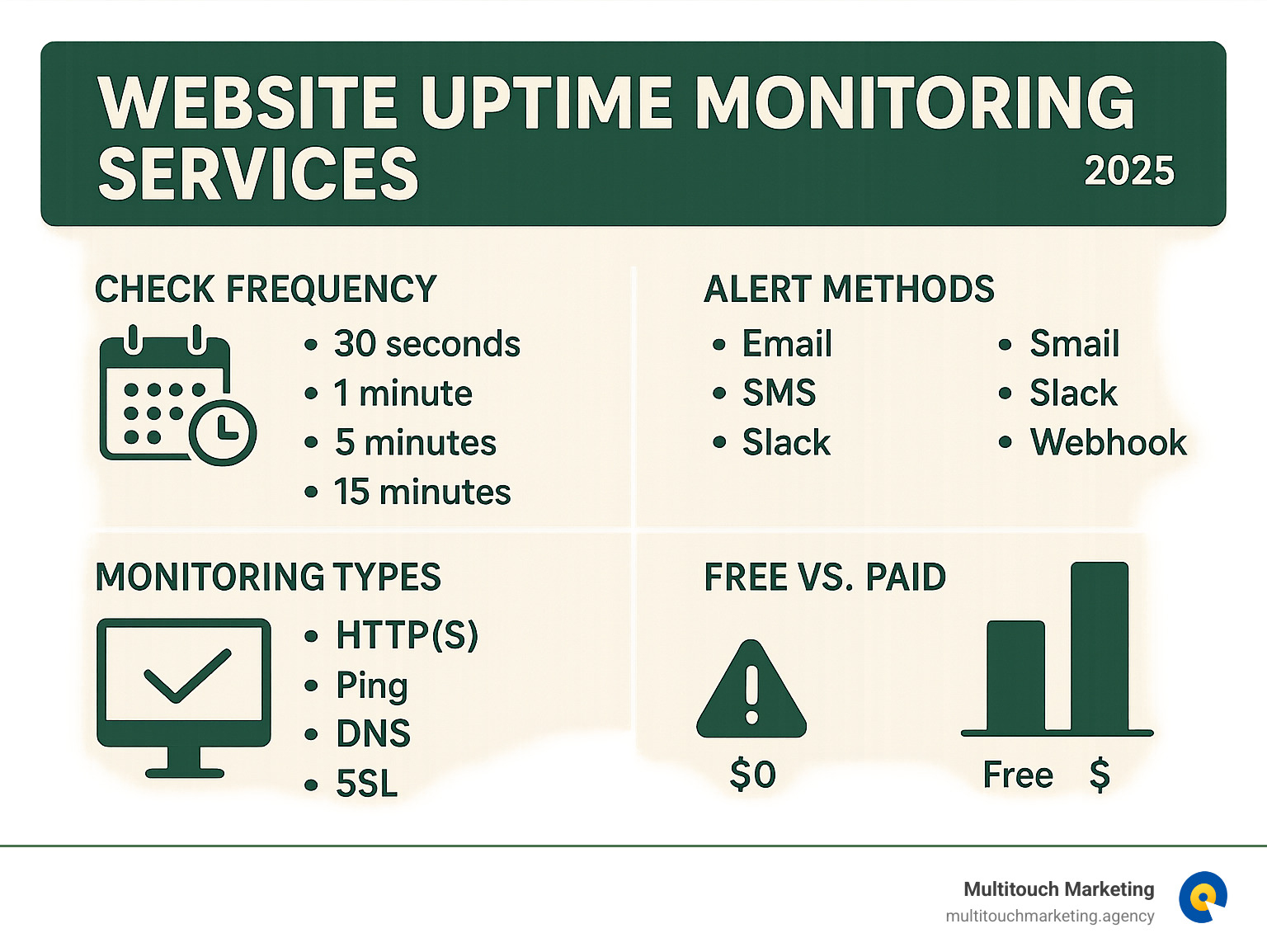
The first thing to consider is check frequency—how often your monitoring service pings your website. Some services like Cronitor check every 30 seconds, while free plans often check every 5 minutes. The more critical your website is, the more frequent those check-ins should be.
Global monitoring locations are another game-changer. The best services monitor from dozens or even hundreds of locations worldwide, like Pingdom (100+), Site24x7 (110+), and Uptrends (229). This prevents false alarms from regional hiccups and gives you a true picture of your site’s global performance.
When something goes wrong, you need to know immediately. That’s where alerting channels come in. Look for services that offer SMS, calls, Slack pings, or custom webhooks, not just email. The more ways they can reach you, the better.
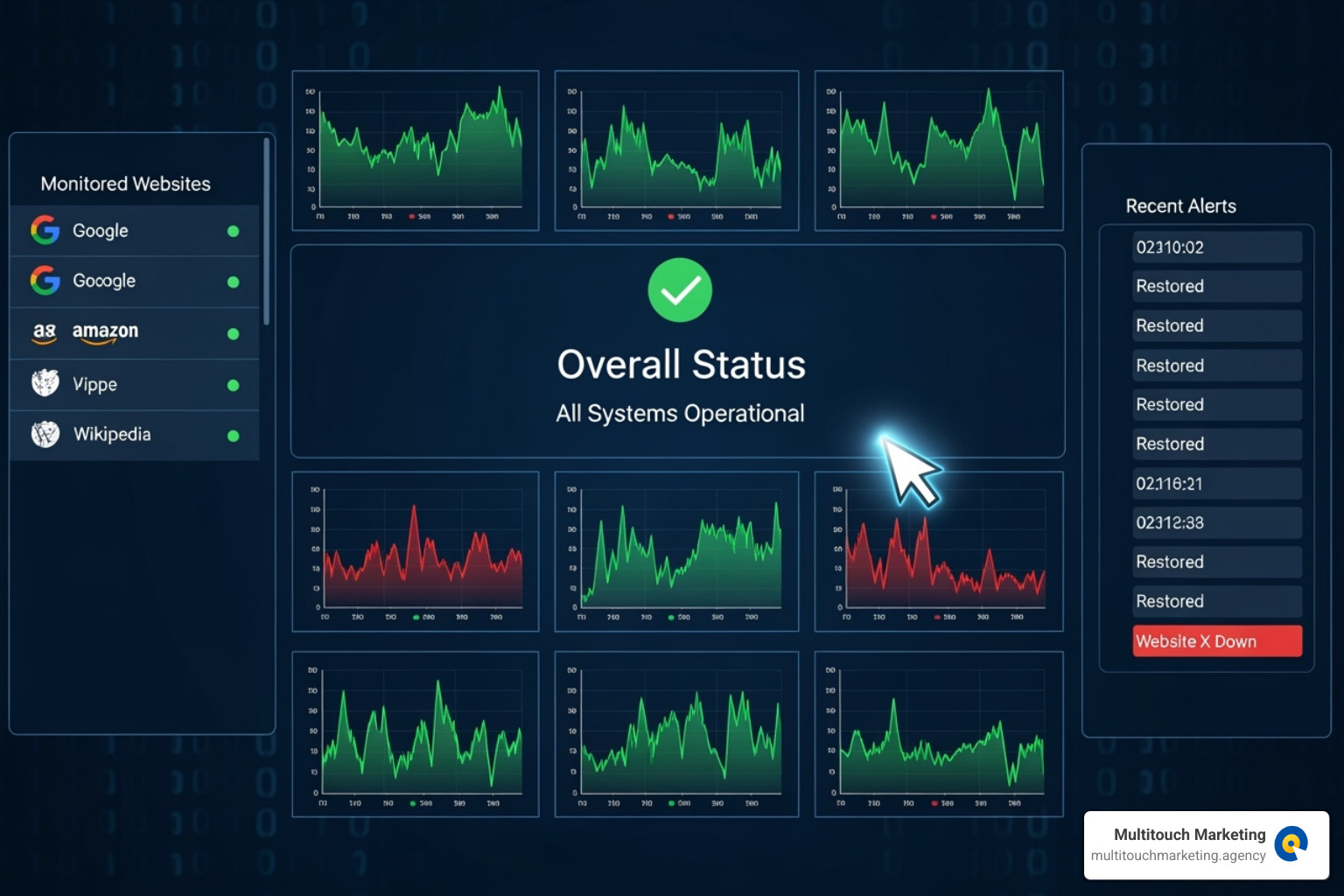
Don’t overlook status pages. They act like a sign on your door during maintenance, keeping customers informed instead of guessing. Many services like UptimeRobot let you customize these pages with your own branding.
Integrations matter too, especially if you use other business tools. The best monitoring services work with platforms like Zapier, incident management systems, or provide API access. Finally, solid reporting and analytics help you spot patterns and make data-driven decisions about your website’s performance.
Synthetic Monitoring vs. Real User Monitoring (RUM)
There are two main ways these services monitor your website, and understanding the difference helps you choose the right approach.
Synthetic monitoring is like having a robot customer that never sleeps. It visits your site on a schedule to test critical user flows like checkouts or registrations, catching problems before real customers see them. Services like Pingdom excel at this, ensuring your business processes work around the clock.
Real User Monitoring (RUM) watches what actual visitors experience. Instead of simulated visits, RUM collects data from real people using real devices and browsers. It reveals if your site is slow for specific users, devices, or browsers.
Think of synthetic monitoring as your early warning system, while RUM shows you the reality of your customer experience. Many businesses use both: synthetic monitoring catches obvious problems fast, while RUM helps you optimize for real-world performance and Core Web Vitals.
The Importance of Instant Alerts and Status Pages
If your website crashes at 2 AM, you need to know immediately, not the next morning after customers have left. That’s why instant alerts are essential.
The best website uptime monitoring services verify problems from multiple global locations to avoid false alarms. Services like Cronitor and Better Stack are particularly good at this kind of smart alerting.
Alerts are most powerful when customized. You want to set different rules for different situations, like a text for complete downtime but an email for a slow site. Some services even let you set up on-call schedules. For more insights, check out our Website Maintenance Best Practices.
Status pages are relationship-savers. When something goes wrong, these pages let you communicate directly with your customers. A simple message like, “We’re fixing a technical issue and will be back online shortly,” can turn a frustrating experience into proof that you’re on top of things.
Modern status pages can be branded to match your site, announce scheduled maintenance, and show historical uptime data. It’s transparency that builds trust.
A Comparison of the Best Website Uptime Monitoring Services
Choosing the right website uptime monitoring service means finding one that matches your needs and budget without overwhelming your team with unused features.

The landscape ranges from free solutions for small projects to enterprise platforms costing hundreds monthly. What matters is whether a service can scale with your business, how quickly your team can adopt it, and who it’s built for.
Option 1: For Generous Free Tiers and Simple Setup
For new projects, small businesses, or anyone needing basic peace of mind without a monthly bill, free services are lifesavers.
UptimeRobot has earned a loyal following by offering 50 free monitors with 5-minute check intervals, HTTP/S monitoring, and keyword monitoring. Their basic status pages let you communicate during outages, and the system is refreshingly simple to set up.
StatusCake takes a similar approach with its free tier, providing 10 monitors with 5-minute frequency checks. Both services are perfect for the “just getting started” phase when every dollar counts but downtime still hurts.
Option 2: For All-in-One Observability and Teams
As your business grows and downtime costs real money, you’ll need more than basic alerts. Look for faster 30-second check intervals, built-in incident management, and tools for professional team coordination.
Better Stack shines with its comprehensive approach to incident management. Its free plan includes Slack and Microsoft Teams integration, incident timelines, and fast 90-second checks. It combines monitoring and incident response into one cohesive platform.
Cronitor takes a developer-friendly route, offering 30-second checks from multiple global locations on its free tier. It goes beyond uptime by letting you set custom assertions for page content and response times. Its focus on preventing false alarms means fewer panic alerts for temporary blips.
For businesses ready to invest in comprehensive Website Maintenance and Support, these platforms provide the foundation for professional incident management.
Option 3: For Balanced Performance and User Experience Monitoring
When performance becomes key, you need services combining synthetic and real user monitoring for detailed insights.
Pingdom, starting at $10 monthly, offers both synthetic monitoring and real user monitoring (RUM). Its strength lies in simulating complex user journeys—like testing a checkout process—while monitoring from over 100 global locations.
Uptime.com positions itself as a unified solution, combining synthetic monitoring, API checks, and RUM in cost-effective packages. With over 80 monitoring points and SOC 2 Type II security compliance, it’s built for businesses that need enterprise-grade reliability without the complexity.
| Service | Check Frequency (Free/Paid) | # of Monitors (Free/Paid) | Alert Types (Free/Paid) | Price Point (Free/Starter) |
|---|---|---|---|---|
| UptimeRobot | 5 min / 60 sec (Solo) | 50 / 10 (Solo) | Email (Free) / SMS, Voice, Slack, Teams, Webhooks (Paid) | $0 / $87.81/year (Solo) |
| Better Stack | 90 sec (Free) | Varies | Email, Slack, MS Teams (Free) | $0 / Contact for Quote |
| Cronitor | 30 sec (Free/Paid) | 1-3 (Free) / Scalable (Paid) | Email, Slack (Free) / 10+ Integrations (Paid) | $0 / $2 per HTTP monitor (Pay-As-You-Go) |
| Pingdom | Varies | Scalable | Email, SMS, Webhooks | $10/month (Synthetic/RUM) |
| Site24x7 | Varies | 10 (Starter) | Email, SMS, Voice | $9/month (Starter) |
| StatusCake | 5 min (Free) | 10 (Free) | Email (Free) / SMS, Voice, Slack, Webhooks (Paid) | $0 / Varies |
| SiteUptime | 30 min / 5 min (Premium) | 1 / 3 (Premium) | Email (Free) / SMS, Call (Paid) | $0 / $5/month (Premium) |
| Uptrends | Varies | Scalable | Email, SMS, Voice | $15.47/month (Starter) |
| Updown | 15 sec | Scalable | Email, Webhooks, Slack | Free for 10 checks / Varies |
| Sematext Synthetics | Varies | Scalable | Varies | $2 per HTTP monitor (Pay-As-You-Go) |
Most modern website uptime monitoring services offer free trials or generous free tiers, so you can test different approaches before committing.
How to Choose the Right Uptime Monitoring Service
Choosing the right website uptime monitoring service isn’t a one-size-fits-all decision. It depends on your specific business needs, budget, and technical capabilities, so it’s crucial to find a solution that fits your unique situation.

When selecting a service, we recommend considering:
- Business Size: A small blog has different needs than a large e-commerce platform. Free or low-cost plans might suffice for smaller operations, while enterprises will require more robust solutions.
- Budget Constraints: Uptime monitoring can range from free to thousands of dollars per month. Define your budget, keeping in mind the potential cost of downtime.
- Technical Requirements: Do you need simple HTTP checks, or complex multi-step transaction monitoring? Do you require API or server-level checks? Understanding your technical needs will narrow your options.
- Team Structure: How will your team manage incidents? Look for services with good collaboration features, on-call scheduling, and integrations with your communication tools.
- Future Growth: Will the service scale with your business? Consider the cost implications of adding more monitors, users, or advanced features.
For broader support, exploring dedicated Website Management Companies can provide comprehensive assistance beyond just uptime.
Key criteria for selecting website uptime monitoring services
To make an informed decision, we suggest a systematic approach:
- Assess your needs: What are you monitoring (website, API, server)? What’s your acceptable downtime? What information do you need?
- Evaluate monitoring frequency: For mission-critical applications, 30-second checks are ideal. For less critical sites, 5-minute checks may be sufficient.
- Check integration capabilities: Does the service integrate with your existing incident management, CRM, or communication platforms?
- Compare pricing models: Understand if it’s a per-monitor fee, tiered pricing, or pay-as-you-go. Factor in potential hidden costs.
- Test with a free trial: Most reputable services offer a free trial. Use it to set up monitors, test alerts, and evaluate the interface before committing.
Advanced features of modern website uptime monitoring services
Modern website uptime monitoring services offer more than basic “up or down” checks, providing a holistic view of your digital health. Look for services that include:
- API Monitoring: Essential for modern web applications. Services like Cronitor and Uptime.com offer robust API monitoring.
- SSL Certificate Expiration Alerts: Avoid security warnings and lost trust by getting notified in advance (UptimeRobot, Cronitor).
- Domain Expiration Monitoring: A crucial feature to prevent accidental domain loss (UptimeRobot).
- Cron Job Monitoring: For ensuring background tasks and scheduled scripts run as expected (UptimeRobot, Cronitor).
- Multi-step Transaction Checks: Simulating entire user flows, such as a login or checkout process, to ensure every step works (Pingdom, Uptime.com).
These advanced features provide peace of mind that your website is accessible and its critical functions are performing as expected.
Frequently Asked Questions about Uptime Monitoring
When exploring website uptime monitoring services, several common questions arise. Let’s explore the answers.
What’s the difference between 99% and 99.9% uptime?
That seemingly tiny 0.9% difference is massive when you break it down.
99% uptime sounds impressive, but it means your site could be down for more than 7 hours every single month (specifically, 7 hours, 18 minutes, and 17 seconds). Your customers could be staring at error pages for that entire time.
Now let’s look at 99.9% uptime—what’s called “three nines” in the industry. This reduces downtime to approximately 43 minutes and 49 seconds per month. Still not perfect, but a dramatic improvement.
The business impact varies by industry. For an e-commerce store, 7+ hours of downtime could mean thousands in lost sales. For a service-based business, it could mean frustrated clients unable to access their accounts. Even 43 minutes can be costly during peak traffic hours.
Understanding these numbers helps in choosing the right monitoring frequency and service level for your business.
How do you monitor a website protected by a security layer like Cloudflare?
Monitoring websites behind security layers like Cloudflare Access presents a unique challenge. You want monitoring to work without compromising the security you’ve implemented.
The most effective approach involves using service tokens for authentication. Cloudflare provides these tokens to allow automated services (like your website uptime monitoring services) to authenticate with your access policies. You can learn more about using service tokens for access directly from Cloudflare’s documentation.
While Cloudflare offers its own health check features, they sometimes bypass Cloudflare Access by default. This might not reflect what your actual users experience when they try to access your protected site.
We also need to consider that monitoring via IP address might miss issues that only appear when accessing the site via its URL, such as CORS errors, SSL certificate problems, or authentication hiccups.
The key is finding a balance where your monitoring truly reflects the end-user experience, including any authentication steps.
Can I monitor more than just my website’s homepage?
Absolutely. If you’re only monitoring your homepage, you’re missing the bigger picture. Modern website uptime monitoring services can watch over practically every digital asset that matters to your business.
Consider your specific critical pages—product pages, checkout flows, contact forms, or member login areas. These often matter more than your homepage because they’re where conversions happen.
API endpoint monitoring is essential for modern websites. If your site relies on APIs for data, payments, or integrations, monitoring these endpoints ensures your backend services stay responsive.
Server port monitoring is crucial for businesses that rely on email (SMTP), file transfers (FTP), or custom applications on specific ports.
For e-commerce, deep transaction monitoring is a game-changer. It simulates a customer’s complete journey—logging in, adding items to a cart, and checking out—to catch problems basic monitoring would miss.
Keyword monitoring adds another layer of protection by checking for specific text on your pages, helping to verify that content is loading correctly and alerting you to unauthorized changes.
The goal is to create a comprehensive safety net that protects not just your website’s availability, but the entire customer experience.
Conclusion
Your website is your digital storefront, and website uptime monitoring services are essential for monitoring it around the clock, just as you would a physical store.
We’ve seen how a single outage can cause lost sales, frustrate customers, and damage SEO rankings. The difference between 99% and 99.9% uptime isn’t just a number; it’s the difference between 7+ hours of lost opportunities versus just 43 minutes each month.
Proactive monitoring isn’t just about catching problems—it’s about protecting everything you’ve built online. Whether you choose a free service like UptimeRobot or invest in a comprehensive solution like Pingdom, the key is starting now.
Modern monitoring tools are your digital safety net. They watch over your APIs, alert you to SSL certificate expirations, and test your checkout process to ensure every sale goes through smoothly. This protection turns potential disasters into minor, quickly resolved blips.
At Multitouch Marketing, we’ve learned that successful PPC campaigns are built on rock-solid website foundations. Ensuring a seamless customer journey from the first click to the final conversion separates thriving businesses from those that struggle with digital reliability.
The peace of mind from knowing you’ll be alerted to any issue within seconds is priceless. Your customers trust you to be there when they need you, and with the right monitoring in place, you can honor that trust 24/7.
Ready to protect your digital investment? Find the right partners for your Website Management and ensure your online doors stay wide open for business.