

Why Website Maintenance and Management Matters for Your Business Success
Website maintenance and management is the ongoing process of monitoring, updating, and optimizing your website to ensure it stays secure, fast, and fully functional. This includes tasks like backing up your data, updating software and plugins, fixing broken links, monitoring security threats, optimizing performance, and refreshing content—all designed to keep your site running smoothly and delivering results.
Quick Answer: What Does Website Maintenance Include?
- Security Updates: Patching vulnerabilities, scanning for malware, managing SSL certificates
- Performance Optimization: Speeding up load times, compressing images, cleaning databases
- Content Management: Fixing broken links, updating information, testing forms
- Backups & Recovery: Regular data backups with disaster recovery plans
- Technical Support: Bug fixes, software updates, compatibility checks
It takes just 50 milliseconds (or 0.05 seconds) for someone to form an opinion about your website. That’s faster than a blink. In that split second, visitors decide whether to stay and explore or click away to a competitor.
Yet most business owners treat their website like a set-it-and-forget-it project. They launch it, then move on to other priorities. But here’s the reality: 88% of online consumers say they are less likely to return to a site after just one negative experience.
Your website isn’t a static brochure. It’s a living, breathing digital asset that needs regular care—just like any valuable business tool. Without ongoing maintenance, small issues snowball into major problems. Security vulnerabilities go unpatched. Page speeds slow to a crawl. Broken links frustrate visitors. Outdated content damages your credibility.
The good news? Preventing these problems is straightforward when you know what to do and when to do it.
I’m Milton Brown, and I’ve spent years helping businesses optimize their digital presence through strategic website maintenance and management. From e-commerce platforms to service-based businesses, I’ve seen how proactive maintenance protects revenue, strengthens SEO, and builds trust with customers.
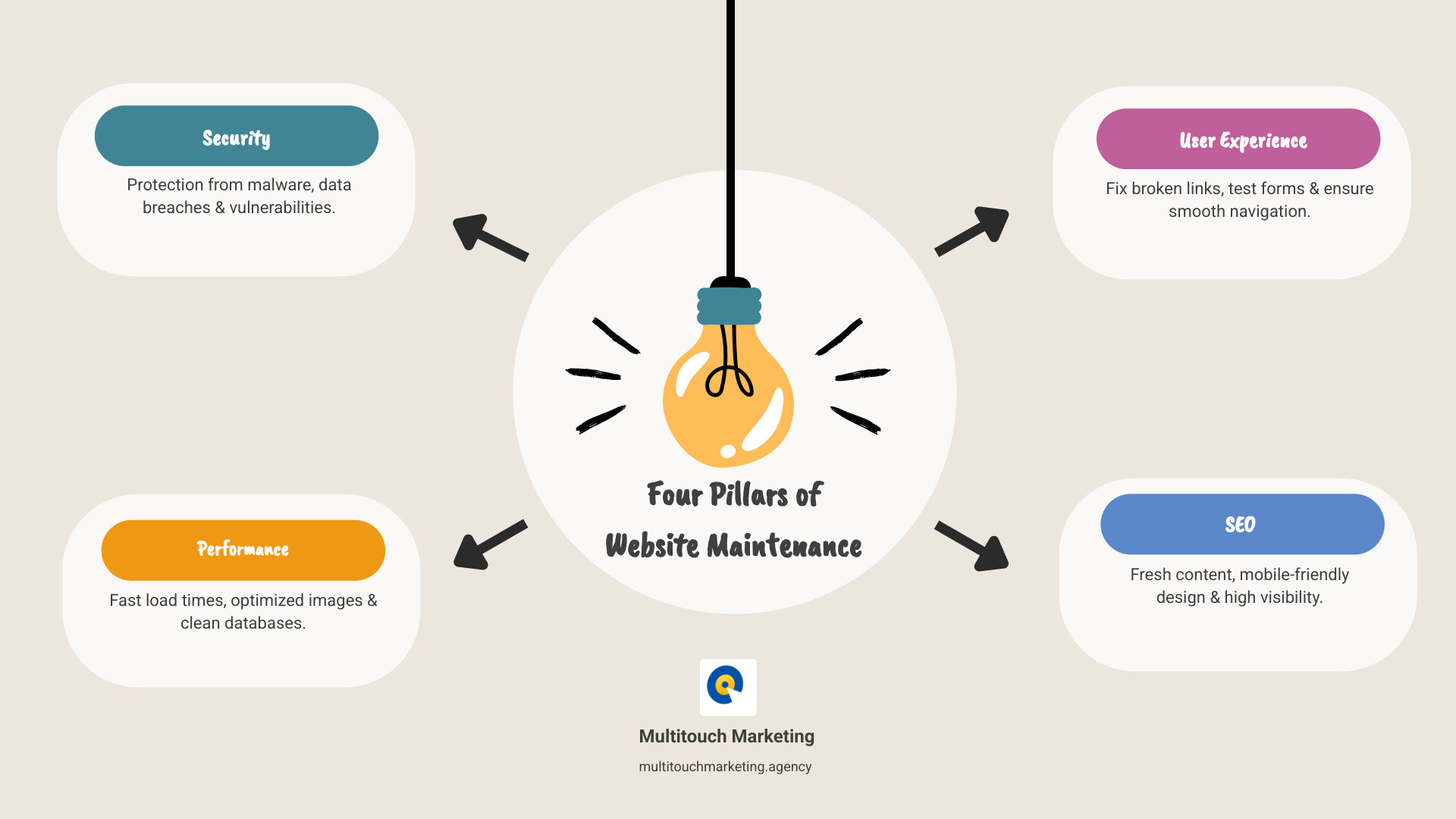
Website maintenance and management word roundup:
Why a Neglected Website is a Liability
Your website is your digital storefront. A neglected one with broken links, slow pages, or an outdated look can become a liability, driving away customers and damaging your brand. Since first impressions are 94% design related, a poor user experience (UX) can send a potential customer straight to a competitor.
Neglecting website maintenance and management also creates serious security vulnerabilities and causes search engines to penalize your site, burying it in search results. The consequences are far-reaching: lost sales, a damaged reputation, and a significant drop in online visibility.
The Critical Impact on SEO and Online Visibility
For businesses in Raleigh, Durham, and Chapel Hill, high search engine rankings are paramount. Website maintenance and management supports SEO by ensuring your site is fast, secure, and user-friendly—qualities Google prioritizes.
- Site Speed: Google favors fast sites. A slow website frustrates users and hurts your ranking. Maintenance tasks like optimizing images and code directly improve load times.
- Mobile-Friendliness: A responsive design is essential, as Google promotes mobile-optimized sites. Our Responsive Web Design and Search Engine Optimization services ensure your site works perfectly on any device.
- Core Web Vitals: Regular maintenance helps your site meet Google’s user experience metrics for loading, interactivity, and visual stability.
- Broken Links: Broken links create a poor user experience and signal to search engines that your site is unmaintained. Fixing them is a simple but impactful task.
- Fresh Content: Regularly updating your site with fresh, relevant content gives search engines a reason to crawl it more often, which can improve rankings.
A well-maintained website is exactly what search engines want to see.
Security: Your First Line of Defense
Neglecting website maintenance and management leaves your business vulnerable to hacking, malware, and data breaches. Cyber threats are constant; the Wordfence firewall blocked over 4 billion malicious requests in just six months of 2021.

Most attacks exploit known vulnerabilities. In fact, 86% of hacked WordPress websites have an outdated plugin, theme, or core version. Keeping your site’s components updated is critical. Robust security also includes:
- Malware Scanning: Regular scans detect and remove malicious code before it causes damage.
- Firewall Management: A web application firewall (WAF) blocks malicious traffic before it reaches your site.
- SSL Certificates: An SSL certificate encrypts data, protecting sensitive information and signaling trust to visitors and search engines.
A security breach can shatter customer trust and severely damage your brand, especially for businesses in Raleigh and Durham where reputation is key.
User Experience and Brand Reputation
Your website’s user experience (UX) directly impacts how visitors perceive your brand. A slow or confusing site will quickly send them elsewhere.
- Site Load Time: A sluggish website is a major turn-off. 40% of people abandon a site that takes more than three seconds to load. A recommended page load time is under two seconds. Consistent maintenance keeps your site fast and visitors engaged.
- Broken Forms and Links: A contact form that doesn’t work or a link that leads to a 404 error page can cost you valuable leads and sales.
- Design Consistency: An inconsistent or unprofessional design can make your brand seem untrustworthy. Responsive Website Design Matters for SEO and for presenting a cohesive brand image across all devices.
A positive user experience builds trust and credibility. Regular website maintenance and management ensures your site always puts its best foot forward, preventing a poor experience from tarnishing your reputation.
Core Services in a Comprehensive Website Maintenance Plan
A robust website maintenance and management plan is a proactive strategy to keep your site secure, fast, and fully functional. A comprehensive plan forms the backbone of a healthy online presence. For a detailed look at what we offer, visit our Website Maintenance Services Includes page.
Core services typically cover software updates, security monitoring, performance optimization, backups, content updates, bug fixes, and technical support.
Essential Security and Backup Protocols
Security and backups are your insurance policy against internet threats. Effective website maintenance and management is non-negotiable.
- Regular Security Scans: We run frequent, automated scans to detect malware, viruses, or suspicious activity, neutralizing threats before they cause damage.
- Malware Removal: If a threat is found, our team will swiftly remove it and restore your site to a clean state.
- Firewall Management: A web application firewall (WAF) filters malicious traffic, protecting your site from common attacks.
- Daily or Weekly Backups: We recommend daily backups for active sites (e-commerce, blogs) and weekly for static sites. Backups should be automated and consistent.
- Off-site Backup Storage: Storing backups on a separate server ensures your data is safe even if your main hosting is compromised.
- Disaster Recovery Plan: A detailed plan to restore your site from a backup is crucial to minimize downtime and data loss.
These protocols, part of our Website Maintenance and Support services, provide peace of mind.
Performance and Speed Optimization
A fast website improves user experience, conversion rates, and SEO. Performance optimization is a critical part of website maintenance and management.
- Image Compression: We compress images without sacrificing quality to ensure they load quickly.
- Caching: Caching stores static versions of your pages, allowing them to load much faster for returning visitors.
- Minifying CSS and JavaScript: This involves removing unnecessary characters from code files, making them smaller and faster to download.
- Database Optimization: Regularly cleaning your database of old revisions and spam helps it run more efficiently.
- Content Delivery Network (CDN): A CDN delivers content from a server geographically closest to the user, dramatically speeding up load times.
- Testing with PageSpeed Insights: We use tools like Google PageSpeed Insights to analyze performance and identify areas for improvement.
Learn more about how we improve site speed through our Responsive Web Design Services.
Content, Code, and Functionality Updates
Your website is an interactive platform that requires continuous refinement to stay relevant and error-free.
- Fixing Broken Links: We regularly scan for and fix broken links to ensure smooth navigation and protect your SEO.
- Updating Content and Images: We help refresh text and images to keep your site’s information current and accurate.
- Testing Contact Forms: We routinely test all forms to ensure they work correctly and that you receive all submissions. A broken form is lost business.
- Checking Checkout Processes: For e-commerce sites, we test the entire checkout flow to eliminate bugs that could lead to abandoned carts.
- Ensuring Plugin and Theme Compatibility: We manage updates to your CMS, plugins, and themes, testing for compatibility to prevent errors or site crashes.

These proactive updates are a cornerstone of effective website maintenance and management.
Your Practical Website Maintenance and Management Checklist
Effective website maintenance and management is about organizing tasks by frequency. A structured checklist ensures your website remains in peak condition. For more insights, check out our Website Maintenance Best Practices.
Weekly Tasks
These quick checks keep your website running smoothly.
- Check for Software Updates: Review your CMS dashboard for updates to core software, themes, and plugins.
- Run a Backup: Manually trigger a full backup, especially after significant site changes.
- Review Security Scans: Check security reports for any threats or vulnerabilities and address them promptly.
- Check for Broken Links: Use a tool like Google Search Console to find and fix broken links.
- Test Critical Forms: Submit test entries on contact forms and newsletter sign-ups to ensure they work.
- Moderate Comments: Respond to legitimate comments and delete spam.
Monthly Tasks
These tasks are essential for ongoing performance and user satisfaction.
- Test Website Speed: Use tools like Google PageSpeed Insights to test load times and implement improvements.
- Review Analytics: Look for unusual drops in traffic, high bounce rates, or changes in conversions that may indicate issues.
- Check Website on Different Browsers: Test your site on major browsers (Chrome, Firefox, Edge, Safari) and devices for consistency.
- Update Plugins and Themes: Apply pending updates after backing up your site.
- Perform a Deeper Database Cleanup: Clean your database of old post revisions and spam to improve performance.
Quarterly and Annual Tasks
These tasks are for strategic review and long-term website health.
- Review SEO Strategy: Check keyword rankings and overall SEO performance to find new opportunities.
- Audit Content: Review older content for accuracy and relevance, updating it where necessary.
- Test Full Backup Restoration: Test your backup restoration process on a staging site to ensure it works.
- Review and Renew Domain Name and Hosting: Ensure your domain and hosting subscriptions are current.
- Check and Update Legal Policies: Review your privacy policy and terms of service to ensure compliance.
- Consider a Goals for a Website Redesign: Annually, assess if your design still aligns with your business goals.
- Schedule User Testing: Get feedback from users unfamiliar with your site to uncover usability issues.
DIY vs. Professional Website Management Companies
Deciding whether to handle website maintenance and management yourself or hire a professional depends on your resources, technical expertise, and business priorities. The time you spend on DIY maintenance is time you could be using to grow your business.
The DIY Approach: Pros and Cons
Going the DIY route offers control and seems cost-effective, but it has significant drawbacks.
Pros:
- Full Control: You have complete oversight of your website.
- Lower Direct Cost: You save on professional service fees.
- Learning Opportunity: You gain technical skills and a deeper understanding of your site.
Cons:
- Significant Time Investment: Maintenance is an ongoing, time-consuming process.
- Risk of Errors: Mistakes can break your site, create security holes, or hurt performance.
- Steep Learning Curve: Staying current with security, SEO, and software updates is demanding.
- Lack of Premium Tools: Professionals use expensive, specialized tools that are often out of reach for DIY.
Hiring a Professional: What to Look For
Hiring a professional website management company is often the smarter choice if your time is better spent on your business.
| Feature | DIY Website Maintenance | Professional Website Maintenance |
|---|---|---|
| Time Investment | High – requires consistent personal effort | Low – frees up your time for core business activities |
| Technical Expertise | Requires significant learning and ongoing education | Access to a team of experienced specialists |
| Cost | Lower direct cost, but high opportunity cost | Monthly/annual fees, but often more cost-effective long-term |
| Risk of Errors | Higher due to inexperience | Lower due to expert handling and best practices |
| Tools | Limited to free or affordable tools | Access to premium, enterprise-level tools and software |
| Security | Dependent on personal vigilance and knowledge | Proactive monitoring, rapid response, and advanced protection |
| Peace of Mind | Can be stressful due to responsibility and potential issues | High – knowing experts are handling your site’s health and security |
When choosing a provider, look for:
- Experience and Portfolio: Do they have a proven track record with businesses like yours?
- Services Included: Ensure their plans cover core services like security, backups, and performance.
- Communication and Reporting: Do they provide regular, clear reports on your site’s health?
- Pricing Structure: Is their pricing transparent and flexible for your budget?
For businesses seeking reliable partners, Multitouch Marketing stands among the Best Website Maintenance Companies in the region.
Understanding Website Maintenance and Management Costs
The cost of website maintenance and management varies. Generally, premium services start at $59+ per month. Pricing depends on:
- Website Complexity: A simple site costs less to maintain than a large e-commerce platform.
- E-commerce Functionality: Online stores require specialized maintenance for payment gateways and inventory.
- Level of Support: Basic updates cost less than comprehensive support with content creation and SEO.
- Hourly vs. Retainer Plans: Retainers often provide better value and prioritized support than hourly rates.
Our WordPress Maintenance Cost page provides more detail. Investing in professional maintenance is an investment in your business’s stability and growth.
Frequently Asked Questions about Website Maintenance
Here are answers to common questions about website maintenance and management.
How often should I back up my website?
Backup frequency should match how often your site changes.
- Daily backups are recommended for active e-commerce sites, blogs, or any site with frequent updates. This minimizes potential data loss to just 24 hours.
- Weekly backups are a safe bet for more static websites that are updated less often.
Always store backups off-site (away from your main hosting server) for maximum security.
Can website maintenance improve my site speed?
Absolutely. Website maintenance and management is crucial for site speed. Key tasks that boost performance include:
- Optimizing Images: Compressing images reduces file sizes for faster loading.
- Minifying Code: Cleaning up CSS, JavaScript, and HTML files makes them quicker to download.
- Enabling Browser Caching: This helps your site load faster for returning visitors.
- Cleaning Databases: Removing old data helps your site’s backend run more efficiently.
- Implementing a CDN: A Content Delivery Network serves content from a server closer to your user, reducing load times.
Consistent maintenance leads to faster page loads, which improves both user experience and SEO.
What are the biggest risks of not maintaining my website?
Neglecting website maintenance and management creates significant risks:
- Security Breaches: Outdated software is the top entry point for hackers, leading to data theft, site defacement, or blacklisting by search engines.
- Data Loss: Without regular backups, a server crash or hack could permanently erase your site’s content and customer data.
- Poor Search Engine Rankings: Google penalizes slow, insecure, and error-filled websites, causing your rankings to drop.
- Damaged Brand Reputation: A slow or buggy site erodes customer trust. A single negative experience can drive away 88% of consumers for good.
- Lost Revenue: If your site is down, slow, or broken, you are actively losing sales and leads. A neglected website becomes a liability, not an asset.
Conclusion
Your website is a critical business asset—your digital storefront and 24/7 sales representative. Like any valuable tool, it requires consistent care. Effective website maintenance and management is not a technical chore but a strategic investment in your security, brand reputation, and growth.
Neglecting your site leads to security risks, poor performance, and lost revenue. A proactive approach, whether DIY or professional, is essential. While DIY offers control, it demands significant time and expertise. Partnering with a professional website management company provides peace of mind and allows you to focus on growing your business.
At Multitouch Marketing, we offer a proactive approach to website maintenance and management for businesses in Raleigh, Durham, and Chapel Hill. We ensure your site is a powerful, high-performing engine that drives your marketing goals.
Don’t let your digital storefront fall into disrepair. For a website that supports your business and shines in a competitive landscape, explore our website maintenance services.